


Maximizing Throughput and Fault Tolerance in CRM Database Hygiene: Enterprise Architecture Guide [2026]
A comprehensive technical and operational breakdown on how modern enterprises solve maximizing throughput and fault tolerance in crm database hygiene: enterprise architecture guide [2026], optimize system performance, and achieve measurable ROI.
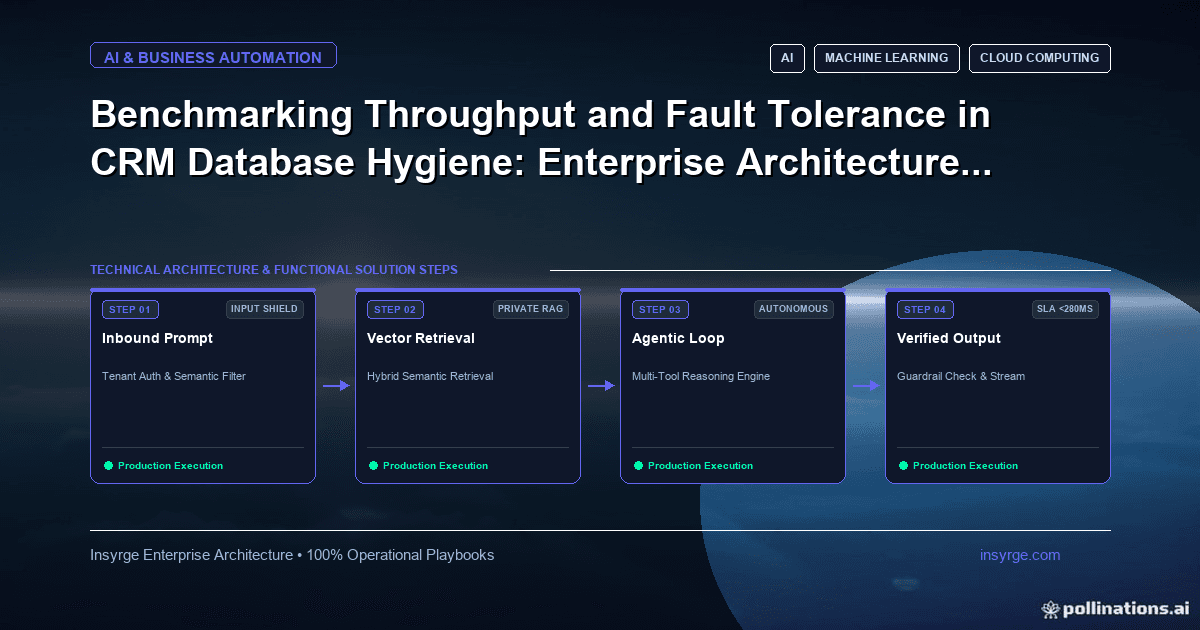
Learn how enterprise leaders solve maximizing throughput and fault tolerance in crm database hygiene: enterprise architecture guide [2026] in 2026. Discover arc
CRM data hygiene is a routine, not a one-off project: find and merge duplicates, standardise key fields, validate data when it is entered, and schedule checks so problems are caught within days. Start with the fields your team uses to make decisions, such as email, phone, company, owner and stage, and fix those first.
Why CRM data gets dirty
- Several people and forms create the same contact or company.
- Imports arrive with different formats and no duplicate checks.
- Fields are free text where a picklist would do.
- People leave, emails bounce and records are never updated.
Step 1: Measure the problem
Pick a few measures and record them before you start: the share of records with a valid email, likely duplicates, empty owner or stage, and records not touched in a year. These tell you where to start and show progress later.
Step 2: Find and merge duplicates
- Match on strong keys first: exact email, then normalised phone number, then company name plus website domain.
- Review fuzzy matches, such as similar names, before merging.
- Decide which record survives: usually the oldest or the one with most activity, keeping the best value per field.
- Use the CRM's merge function so notes, activities and related records move with it. Merging is hard to undo, so export a backup first.
Step 3: Standardise fields
- Turn free-text fields that drive reports into picklists.
- Store phone numbers in one international format.
- Use one format for countries and states, and trim spaces and stray punctuation.
- Store website domains without protocol or trailing slash, so they can be matched.
Step 4: Validate at entry
Prevention is cheaper than clean-up. Add validation rules for required formats, mark key fields unique where the CRM supports it, use address autocomplete, and make API imports use upserts with a duplicate-check field instead of plain inserts.
Step 5: Schedule checks
- Run a weekly report or job for new duplicates, missing required fields and invalid emails.
- Assign each issue to the record owner, with a due date.
- Review the measures from Step 1 monthly.
Step 6: Retire what you do not need
Archive or delete records you no longer have a reason to keep, in line with your privacy policy and data protection law. Fewer, accurate records beat many stale ones.
Frequently asked questions
Should I clean data before a CRM migration?
Yes. Migrating duplicates and junk costs time and moves the problem into the new system.
Can this be automated?
Most of it can: matching, standardising and reporting. Keep a person in the loop for fuzzy merges.
Sources
- Zoho CRM API: Upsert records (duplicate check fields)
- Zoho CRM Help: Validation rules
- Zoho CRM API: Bulk Read
Want your CRM data cleaned up and kept clean? Talk to Insyrge
Insyrge can audit duplicates and bad records in your CRM, clean them in bulk and add the validation and automation that stop the problem returning. Tell us which CRM you use and roughly how many records it holds. Contact Insyrge or book a call.
See also: Zoho CRM automation and workflow engineering.
Related resources
- Custom app development services: Design and build software that fits how you work.
Need Help Implementing This in Your Business?
Our certified Zoho consultants and automation experts can help you design and deploy custom workflows tailored to your operations.
Book Free Consultation