

Custom Extension Development
Private CRM widgets and Marketplace-style extensions: custom buttons, related lists, Deluge functions, and embedded apps.
- Bilateral NDA protected
- 100% client code & IP ownership
- 2–4 week agile sprints
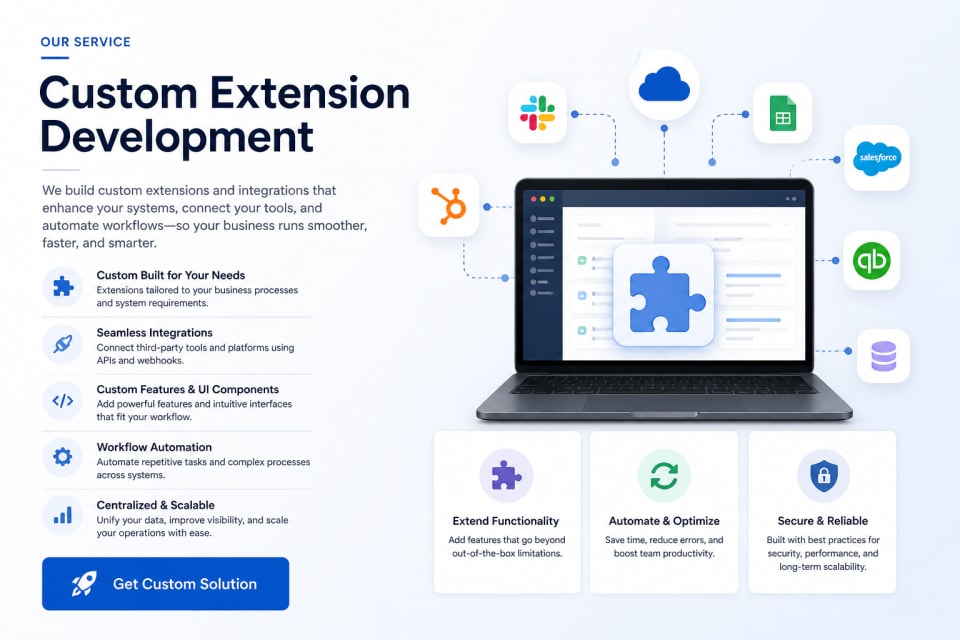
Custom Extension Development: key facts
- What it is
- Insyrge builds private CRM extensions and marketplace-style extensions, such as widgets, buttons, related lists, functions and embedded apps, that add features your CRM does not offer out of the box.
- Who it is for
- CRM users who need a feature their platform does not provide; Businesses that want a private extension for their own team.
- Main deliverables
- Extension specification, Widgets and UI components, Server-side functions, Third-party connections, Marketplace packaging.
- Works with
- CRM extension frameworks and APIs, third-party APIs, webhooks and OAuth.
- How it starts
- A free 45-minute discovery call, then a written scope agreed before any build starts.
- Ownership
- You own the code, configuration and documentation. Ongoing support is optional.
Overview
How we approach Custom Extension Development
Private CRM widgets and Marketplace-style extensions: custom buttons, related lists, Deluge functions, and embedded apps. Insyrge already publishes Zoho Marketplace extensions such as HOVER Integration, Timeline Pro, and Google Address Autocomplete, so we build to marketplace review standards from day one.
Who it is for
CRM users who need custom widgets, buttons, functions or integrations that the standard product does not provide.
Who it is for and the problems it solves
Who it is for
- CRM users who need a feature their platform does not provide
- Businesses that want a private extension for their own team
- Software companies that want an extension listed on a CRM marketplace
Problems it solves
- Staff switch between the CRM and other tools to finish one task
- A missing feature forces manual workarounds
- External data is not visible on CRM records
- Existing extensions do not fit your process
What you get
Tested deliverables, included in this service
Clear milestones agreed in writing, with the code and configuration handed over to you.
- 01
Build custom extensions tailored to your business needs
- 02
Integrate third-party platforms using APIs and webhooks
- 03
Develop custom widgets and UI components
- 04
Automate complex workflows and processes
- 05
Centralize data across multiple systems
- 06
Improve system usability and team productivity
- 07
Scalable, secure, and performance-driven solutions
What each deliverable includes
- Extension specification
- Where it appears, what it does, data it reads and writes, and permissions.
- Widgets and UI components
- Buttons, panels and embedded views inside the CRM.
- Server-side functions
- Logic and API calls behind the interface.
- Third-party connections
- External services connected through APIs and webhooks.
- Marketplace packaging
- Listing assets and review preparation, where applicable.
- Documentation
- Admin guide, user guide and source code.
The process
How an engagement runs
Scope and deliverables are agreed before any build starts.
- Step 01
Discovery
We review your goals, current setup and the tools involved.
- Step 02
Plan
Scope, deliverables and timeline agreed in writing before work starts.
- Step 03
Build and test
Extensions are built to marketplace review standards, checked against real scenarios.
- Step 04
Handover
Documentation and installation support.
Typical timeline and what you receive at each phase
- Phase 01
Discovery call
Systems, data and the process the build must support.
- Phase 02
Specification
Mappings, screens or architecture, error handling and test cases in writing.
- Phase 03
Build and test
Delivered in sprints with automated and user acceptance testing.
- Phase 04
Deploy and hand over
Deployed to your accounts or infrastructure with source code and a runbook.
Durations depend on scope and are set in the written proposal. Build work runs in 2–4 week sprints.
Platforms & capabilities
Tech this service works with
- Webhooks
- APIs
- Zoho Marketplace
- CRM
- Integrations
- Workflow automation
Typical integrations
CRM APIs
Records, metadata and user context.
Third-party APIs
Maps, file storage, messaging and data services.
Webhooks
Events to and from external systems.
Identity
OAuth connections to other services.
Questions about Custom Extension Development
Still unsure? Email info@insyrge.com
What is a CRM extension?
A package that adds functionality inside a CRM, such as a widget on a record page, a custom button, a related list or a background function.
Private or marketplace extension?
A private extension is installed only in your account. A marketplace extension is published for other businesses to install and must pass the platform's review.
Can an extension show data from another system?
Yes. Widgets can call external APIs and show that data on the CRM record.
Will the extension survive CRM updates?
We build on supported extension frameworks and APIs, which are designed to stay stable across platform updates.
Can you help publish an extension to a marketplace?
Yes. We build to marketplace review standards and prepare listing material.
Do we own the extension?
Yes. Source code and documentation are handed over.
How do we start?
A free 45-minute call, then a written specification.
Related services
More in Integration & build
- API
API Integration
Fault-tolerant, bi-directional REST and GraphQL integrations between your CRM and the rest of your stack.
View service - ERP
ERP Implementation & CRM Integration
Your CRM connected to finance, inventory and operations, so sales, accounts and delivery share one set of data.
View service - Apps
Custom App Development
Low-code portals and custom web apps for estimating, approvals, field teams and job tracking.
View service