

ServiceNow Integration
ServiceNow ITSM/CSM workflows and two-way sync between tickets and your CRM.
- Bilateral NDA protected
- 100% client code & IP ownership
- 2–4 week agile sprints
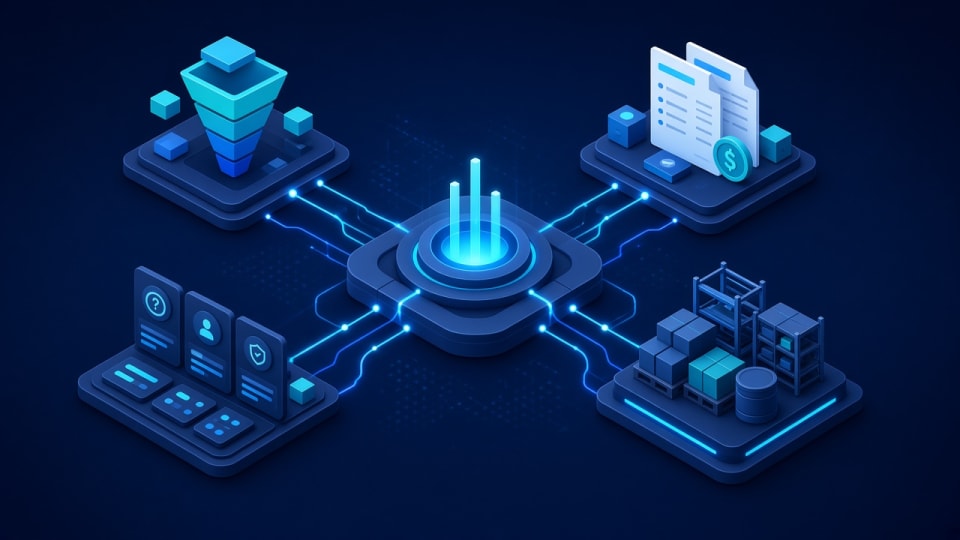
ServiceNow Integration: key facts
- What it is
- Insyrge connects ServiceNow ITSM and CSM to your CRM with two-way ticket sync, automates service workflows and adds AI for tier-1 ticket resolution.
- Who it is for
- IT and customer service teams running ServiceNow; Businesses whose sales and account teams use a separate CRM.
- Main deliverables
- Integration design, Ticket-to-CRM sync, Workflow automation, AI tier-1 resolution, Monitoring.
- Works with
- CRMs, email and chat, knowledge bases, monitoring tools and identity providers.
- How it starts
- A free 45-minute discovery call, then a written scope agreed before any build starts.
- Ownership
- You own the code, configuration and documentation. Ongoing support is optional.
Who it is for and the problems it solves
Who it is for
- IT and customer service teams running ServiceNow
- Businesses whose sales and account teams use a separate CRM
- Service desks overloaded with repetitive tier-1 tickets
Problems it solves
- Account managers cannot see open incidents for their customers
- Tickets are re-entered between ServiceNow and the CRM
- Simple requests wait in the queue for manual handling
- Escalations lose context between systems
What you get
Tested deliverables, included in this service
Clear milestones agreed in writing, with the code and configuration handed over to you.
- 01
Ticket-to-CRM sync
- 02
ITSM and CSM workflow automation
- 03
AI tier-1 ticket resolution
What each deliverable includes
- Integration design
- Which records sync, in which direction and who owns each field.
- Ticket-to-CRM sync
- Incidents and cases linked to CRM accounts and contacts.
- Workflow automation
- ITSM and CSM flows for routing, approvals and notifications.
- AI tier-1 resolution
- Automated answers or actions for common, well-defined requests.
- Monitoring
- Logging and alerts for sync failures.
- Documentation
- Integration and workflow documentation.
The process
How an engagement runs
Scope and deliverables are agreed before any build starts.
- Step 01
Discovery
We review your goals, current setup and the tools involved.
- Step 02
Plan
Scope, deliverables and timeline agreed in writing before work starts.
- Step 03
Build and test
The solution is configured, checked against real scenarios.
- Step 04
Handover
Documentation and training so your team can run it day to day.
Typical timeline and what you receive at each phase
- Phase 01
Discovery call
Your current process, systems, data sources and users reviewed.
- Phase 02
Blueprint sign-off
A written design of configuration, automations, integrations and data migration.
- Phase 03
Build in sprints
Configuration and automation delivered in agile sprints, each demonstrated and tested.
- Phase 04
Go-live and handover
Data import, role-based training, documentation and an agreed support option.
Durations depend on scope and are set in the written proposal. Build work runs in 2–4 week sprints.
Platforms & capabilities
Tech this service works with
- ServiceNow
- CRM
- Workflow automation
- Ticketing
Typical integrations
CRM
Accounts, contacts and case status.
Email and chat
Ticket intake channels.
Knowledge base
Articles used for AI answers.
Monitoring tools
Alerts that create incidents.
Identity provider
Users and groups.
Questions about ServiceNow Integration
Still unsure? Email info@insyrge.com
How do you integrate ServiceNow with a CRM?
Through the ServiceNow and CRM APIs, syncing tickets, accounts and contacts with clear field ownership, error handling and logging.
Is the sync one-way or two-way?
Either. Many teams need two-way sync so status updates appear in both systems.
What is the difference between ITSM and CSM?
ITSM handles internal IT services such as incidents and changes; CSM handles service for external customers.
Can AI resolve tier-1 tickets?
For common, well-defined requests, such as password guidance or status checks, AI can answer or act automatically and hand off the rest.
What happens if the integration fails?
Failures are logged, retried and alerted so nothing is silently lost.
Do we own the integration?
Yes. Code and configuration are handed over.
How do we start?
Book a free 45-minute call. We review your current setup and goals, then send a written scope before any work starts.
Related services
More in CRM & ERP platforms
- Zoho CRM
CRM Implementation
A written blueprint before build: modules, fields, stages and automations for teams that have outgrown spreadsheets.
View service - Automation
CRM Automation & Workflow Engineering
Deluge workflows, scheduled triggers and webhooks that take repetitive data entry off your team.
View service - Zoho One
Zoho One Consulting
45+ business apps for sales, finance and operations, architected and set up as one cohesive operating system.
View service