

RAG Knowledge Bots
Internal and customer-facing bots that answer from your documents, help-centre and CRM data using retrieval-augmented generation (RAG), with sources cited.
- Bilateral NDA protected
- 100% client code & IP ownership
- 2–4 week agile sprints
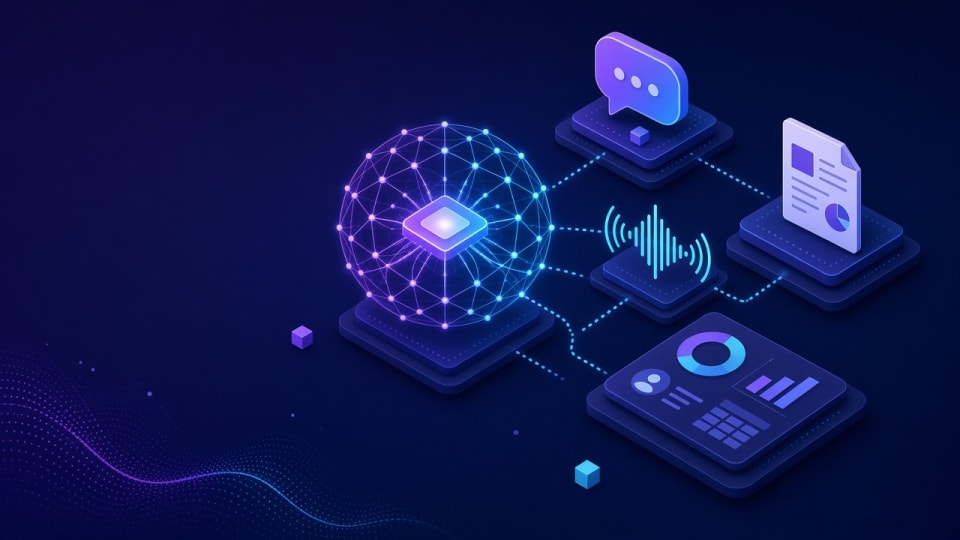
RAG Knowledge Bots: key facts
- What it is
- Insyrge builds retrieval-augmented generation (RAG) bots that answer staff and customer questions from your documents, help centre and CRM data, citing the source of every answer.
- Who it is for
- Support teams answering the same product and policy questions repeatedly; Internal teams that lose time searching shared drives and wikis.
- Main deliverables
- Source inventory, Ingestion pipeline, Retrieval and answer layer, Access control, Chat interface.
- Works with
- File storage, wikis, help desks, CRM data, team chat and single sign-on.
- How it starts
- A free 45-minute discovery call, then a written scope agreed before any build starts.
- Ownership
- You own the code, configuration and documentation. Ongoing support is optional.
Who it is for and the problems it solves
Who it is for
- Support teams answering the same product and policy questions repeatedly
- Internal teams that lose time searching shared drives and wikis
- Organisations that need answers to respect document permissions
Problems it solves
- Knowledge is spread across drives, wikis, help desks and inboxes
- New staff take a long time to find the right policy or procedure
- Generic AI tools give confident answers with no source
- Sensitive documents must not be visible to everyone who asks
What you get
Tested deliverables, included in this service
Clear milestones agreed in writing, with the code and configuration handed over to you.
- 01
Indexes SharePoint, Drive, Notion, help desk and CRM
- 02
Cited answers to reduce hallucination
- 03
Role-based access to content
- 04
Usage analytics and content-gap reports
What each deliverable includes
- Source inventory
- Which repositories are indexed, who owns them and how often they change.
- Ingestion pipeline
- Connectors that read, split and index documents and keep the index in sync.
- Retrieval and answer layer
- Search tuned for your content, with answers that cite the documents used.
- Access control
- Answers limited to the documents the asking user is allowed to see.
- Chat interface
- A web, team-chat or helpdesk interface, as scoped.
- Analytics
- Questions asked, sources used and questions with no good answer.
The process
How an engagement runs
Scope and deliverables are agreed before any build starts.
- Step 01
Discovery
We review your goals, current setup and the tools involved.
- Step 02
Plan
Scope, deliverables and timeline agreed in writing before work starts.
- Step 03
Build and test
The solution is configured, checked against real scenarios.
- Step 04
Handover
Documentation and training so your team can run it day to day.
Typical timeline and what you receive at each phase
- Phase 01
Discovery call
A list of candidate tasks, the systems involved and the data the AI may use.
- Phase 02
Written scope
Tasks, guardrails, approval points, test cases and how success is measured, agreed before build.
- Phase 03
Pilot build
Working version connected to your systems in a test environment, checked against real examples.
- Phase 04
Launch and tune
Live use with logging; prompts and rules tuned with you, then code and documentation handed over.
Durations depend on scope and are set in the written proposal. Build work runs in 2–4 week sprints.
Platforms & capabilities
Tech this service works with
- RAG
- CRM
- Dashboards & reporting
- Documents
- Knowledge base
- Analytics
Typical integrations
File storage and intranets
Shared drives and document libraries.
Wikis and note tools
Internal procedures and how-to pages.
Help desk
Published articles and resolved tickets.
CRM
Account and product data used to personalise answers.
Team chat
Ask the bot where staff already work.
Identity provider
Single sign-on and group membership for permissions.
Questions about RAG Knowledge Bots
Still unsure? Email info@insyrge.com
What is a RAG knowledge bot?
It is a chatbot that first searches your own documents for relevant passages and then writes an answer from them, citing the sources. This keeps answers tied to your content.
Does a RAG bot stop hallucinations completely?
No system removes them completely. Grounding answers in retrieved passages, showing citations and telling the bot to say "I don't know" when nothing relevant is found reduce them sharply and make errors easy to check.
Can it respect who is allowed to see which documents?
Yes. We carry document permissions into the index and filter results by the user's identity before an answer is generated.
Which sources can it index?
Shared drives, document libraries, wikis, help centre articles, PDFs and selected CRM data. We agree the list during scoping.
How is the index kept up to date?
Connectors re-sync on a schedule or on change, and removed documents are removed from the index.
Can customers use it, or only staff?
Both. Customer-facing bots usually index only published content; internal bots can index more.
Do we own it?
Yes. Code, configuration and documentation are handed over.
Related services
More in Gen AI
- Agents
AI Agent Development
Gen AI agents that answer enquiries, update CRM records, route tickets and hand off to a person when needed.
View service - Chat · Voice
AI Chatbots & Voice Agents
Website, WhatsApp and phone agents that answer, qualify leads and book meetings 24/7, logging every conversation in your CRM.
View service - LLM-in-CRM
LLM & OpenAI Integration for CRM
OpenAI and other LLMs inside HubSpot Breeze, Salesforce Agentforce, Copilot for Dynamics 365 or a custom API.
View service