


Mastering Decoupled Webhooks, Event Buffers, and Scalable Pipelines for Zoho CRM API: Enterprise Architecture Playbook [2026]
A comprehensive technical and operational breakdown on how modern enterprises solve mastering decoupled webhooks, event buffers, and scalable pipelines for zoho crm api: enterprise architecture playbook [2026], optimize system performance, and achieve measurable ROI.
Learn how enterprise leaders solve mastering decoupled webhooks, event buffers, and scalable pipelines for zoho crm api: enterprise architecture playbook [2026]
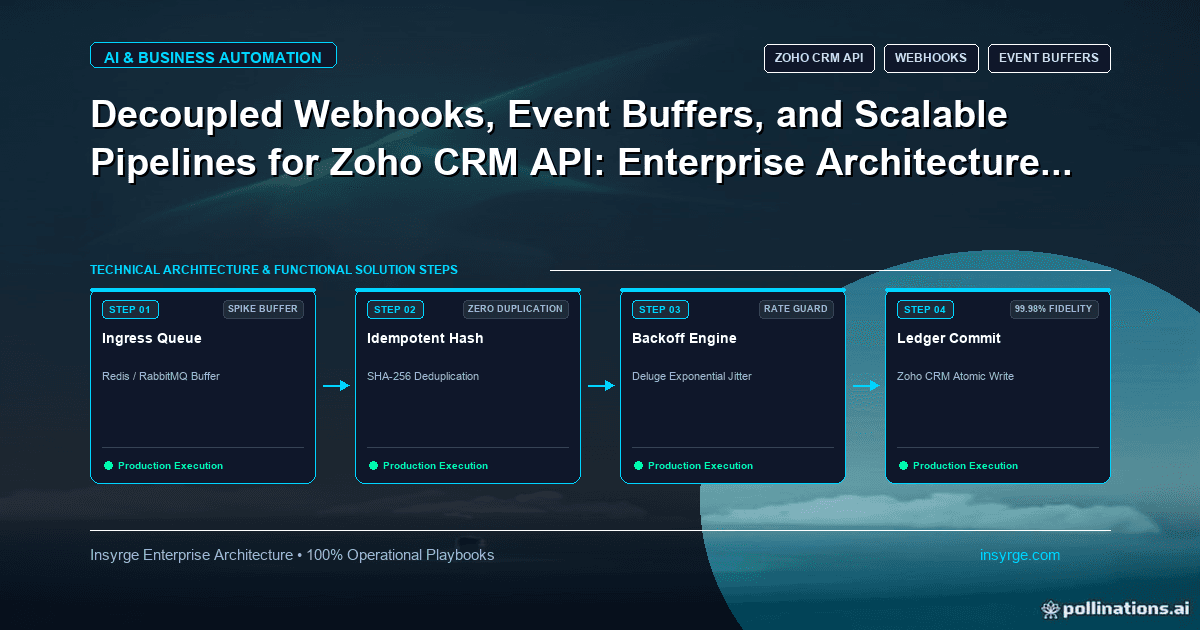
To make Zoho CRM webhooks reliable, have your endpoint do almost nothing: check the request, save the payload to a queue and return a 2xx response straight away. A separate worker then processes each message idempotently, retries failures with backoff and moves messages that keep failing to a dead-letter queue. A nightly reconciliation catches anything that never arrived.
Why webhooks get lost
- The receiving endpoint does slow work before replying, so the call times out.
- The endpoint is down during a deployment or outage.
- A downstream API fails and the error is swallowed.
- The same event arrives twice and creates a duplicate record.
Webhooks vs notification channels in Zoho CRM
Zoho CRM can call a URL from a workflow rule (a webhook action), or push changes through the Notifications API, where you subscribe a channel to events on modules. Notification channels have an expiry time that you set and must renew; if a channel lapses, events stop silently. Track expiry and renew it on a schedule.
The pattern: acknowledge, queue, process
- Verify. Check a shared token or the channel token you set when subscribing, so only Zoho can call the endpoint.
- Persist first. Write the raw payload to a durable queue or table with a received-at time. Do this before any business logic.
- Reply fast with a 200 once the payload is stored.
- Process in a worker. The worker reads from the queue, fetches the latest record from the Zoho CRM API if the payload is only an ID, and applies the change.
Make processing idempotent
Assume every message can arrive more than once. Build an idempotency key from the record ID, the event type and the modified time, and skip messages you have already processed. Where you write to another system, use upserts keyed on an external ID rather than blind inserts. This is the idempotent receiver pattern.
Retry with backoff, then dead-letter
- Retry temporary errors (timeouts, 429, 5xx) with exponential backoff and random jitter, so retries do not all hit at once.
- Do not retry permanent errors such as validation failures; send them for review.
- After a fixed number of attempts, move the message to a dead-letter queue with the last error, and alert someone.
- Provide a way to replay dead-lettered messages after the cause is fixed.
Reconcile to catch what never arrived
Some events will never reach you. Run a scheduled job that asks Zoho CRM for records modified since the last run and compares them with your target system. Repair differences through the same idempotent worker.
Monitor it
Alert on queue depth, the age of the oldest message, dead-letter count and channel expiry dates. A queue that keeps growing is the earliest sign of trouble.
Frequently asked questions
Can I process the webhook inside the request?
Only if the work is tiny. Anything that calls other APIs belongs in a worker.
What queue should I use?
Any durable queue your team can run: a managed cloud queue, Redis streams, or a database table with a status column.
Sources
- Zoho CRM API: Notifications overview
- Zoho CRM API: Upsert records
- Enterprise Integration Patterns: Idempotent Receiver
- Enterprise Integration Patterns: Dead Letter Channel
- AWS Builders' Library: Timeouts, retries and backoff with jitter
Need help with Zoho CRM webhooks and API pipelines? Talk to Insyrge
If missed webhooks, retries or API limits are leaving records out of sync in your CRM, Insyrge can review your setup and design a fix. Tell us what you are connecting and where it breaks today, and we will reply with a scoped plan. Contact Insyrge or book a call.
See also: Zoho API and third-party integration services.
Related resources
- Zoho CRM automation and workflow engineering: Automate Zoho CRM workflows that keep running.
Need Help Implementing This in Your Business?
Our certified Zoho consultants and automation experts can help you design and deploy custom workflows tailored to your operations.
Book Free Consultation