


CRM Security: Access, Integrations and Audit
How to secure a CRM with least-privilege access, strong authentication, safe integrations, encryption and monitoring for misuse.
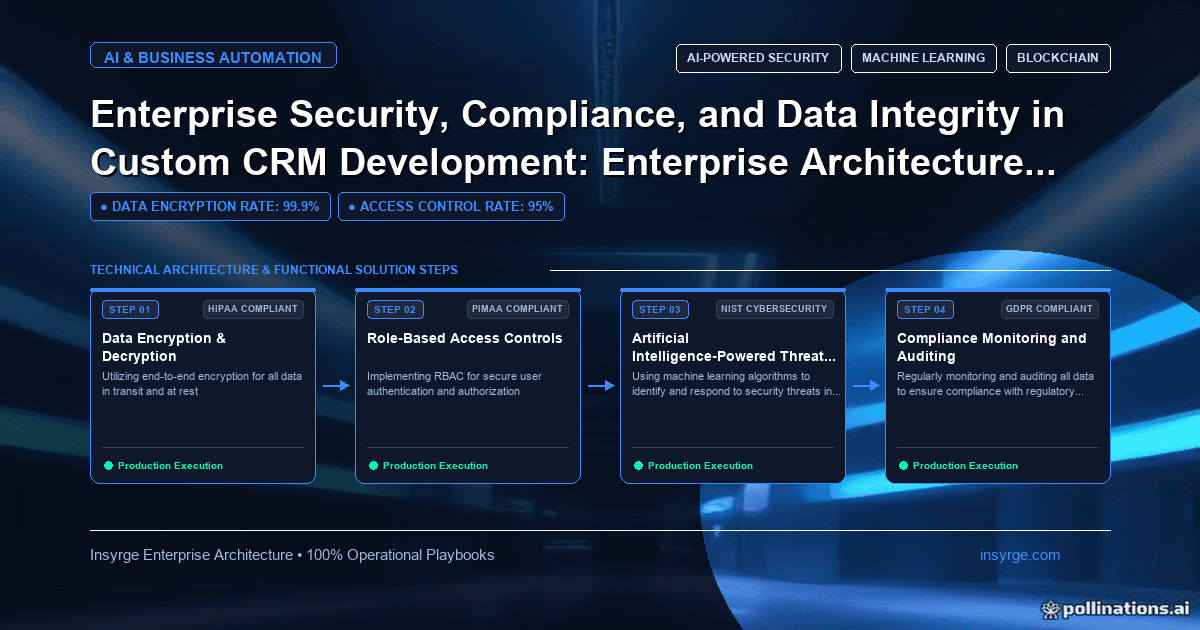
Strengthen CRM security with least-privilege access, strong authentication, secured integrations, encryption, misuse monitoring and regular testing.
A CRM holds some of the most sensitive information a business has: customer contacts, deal values, pricing, contracts, support histories and often personal data about thousands of people. When the CRM is custom-built or heavily customised, much of the responsibility for protecting that data sits with you rather than a vendor. CRM security covers who can see and change what, how users and integrations authenticate, how data is protected in storage and transit, how activity is logged and how the system is tested. This guide explains the controls that matter most for custom and customised CRMs, how to design permissions, how to protect integrations and how to verify security over time, with a worked example.
 Who is responsible for CRM security
LayerPackaged CRM platformCustom-built CRMInfrastructure and hostingVendorYou or your hosting providerCore application securityVendorYouCustom code, functions and extensionsYouYouConfiguration: roles, sharing, field accessYouYouIntegrations and API credentialsYouYouUser management and access reviewsYouYouData quality and integrityYouYou
Even on a well-secured platform, misconfigured permissions, over-privileged integrations and weak user management cause most real-world problems. Custom builds add application security to the list.
Access control done properly
Access control decides what each user can see and do. Design it around roles and the principle of least privilege:
- Define roles from job functions, such as sales rep, sales manager, finance and support
- Restrict records by ownership, team or territory where reps should not see each other's pipelines
- Restrict sensitive fields, such as margins, bank details or personal identifiers, to the roles that need them
- Separate permissions for viewing, editing, deleting and exporting; export is often the riskiest
- Check permissions on the server for every request, not just by hiding buttons in the interface
The OWASP Authorization Cheat Sheet recommends denying by default and validating permissions on every request, which applies directly to custom CRM code. Broken access control appears at the top of the OWASP Top 10 list of web application risks.
Authentication and sessions
- Use single sign-on with your identity provider where possible, so leavers lose access centrally
- Require multi-factor authentication, at least for administrators and remote access
- Set sensible session timeouts and protect session tokens
- Use separate administrator accounts for administrative work
Securing integrations and APIs
Integrations often have broader access than any person:
- Give each integration its own credentials with the narrowest scopes it needs
- Store secrets in a secrets manager, never in code or shared documents
- Rotate credentials on a schedule and when staff with access leave
- Validate and sanitise all data arriving from integrations before saving it
- Log integration activity separately so unusual volumes stand out
Protecting data integrity
Security includes keeping data correct, not just private:
- Validate inputs on the server, including from internal users
- Keep an audit trail of changes to key fields, recording who changed what and when
- Restrict bulk updates and deletions to trained roles, with confirmations
- Back up regularly and test restores
- Protect against duplicate or conflicting writes from integrations
Encryption and data handling
Encrypt data in transit with current TLS everywhere, including internal connections between services. Encrypt databases and backups at rest. Limit copies of CRM data: exports to spreadsheets, test environments filled with production data and old backups are frequent sources of leaks. Use masked or synthetic data in development and testing. Set expiry dates on shared export links, and keep a register of where CRM data is copied, so each copy has an owner and a deletion date.
Monitoring for misuse
Many CRM incidents involve legitimate accounts used in the wrong way: a departing employee exporting the client list, a compromised password used from an unfamiliar location, or an integration suddenly reading far more records than usual. Monitor for these patterns. Alert on large exports, bulk deletions, logins from new countries, repeated failed logins and integration volumes well above normal. Route alerts to someone who can act quickly, and keep the logs long enough to investigate what happened weeks later.
Testing and verifying security
The OWASP Application Security Verification Standard provides a structured list of requirements you can use to define and test security for a custom application. Practical steps include:
- Code review for security issues on every change touching authentication, permissions or data access
- Automated dependency scanning for known vulnerabilities
- Periodic penetration testing by independent testers
- Quarterly access reviews: who has which role, and do they still need it?
Worked example: securing a custom CRM for a financial services firm
Suppose a financial advisory firm runs a custom CRM used by 60 advisers, 10 managers, a compliance team and an operations team. Client records include contact details, portfolio summaries and meeting notes. The firm designs this access model:
RoleClient recordsPortfolio fieldsMeeting notesExportDeleteAdviserOwn clients onlyViewOwn notes: create and editNoNoManagerTeam's clientsViewViewTeam reports onlyNoComplianceAll clients, read-onlyViewView allAudit exports with approvalNoOperationsAll clientsNo accessNo accessAddress lists for mailings, approvedNoAdministratorAll, for supportNo access by defaultNo accessNoWith dual approval
Controls around the model include single sign-on with multi-factor authentication, server-side permission checks on every request, an audit trail for portfolio and contact changes, alerts on unusual export volumes and a quarterly access review signed off by compliance. Integrations with the portfolio system use a dedicated credential that can update portfolio summaries but cannot read meeting notes.
The firm tests the model by logging in as each role and attempting forbidden actions, through both the interface and the API, before launch and after every release that touches permissions.
Common mistakes
- Enforcing permissions only by hiding interface elements
- Giving integrations administrator access for convenience
- Leaving former employees' accounts active
- Copying production data into test environments
- Allowing unrestricted exports
- Never testing restores or permissions after changes
Security decisions start at design time; our guide to custom CRM development covers how to choose between building and extending. For Zoho-based systems, our guide to Zoho OAuth token management explains how to keep integration credentials under control.
Frequently Asked Questions
What are the most important CRM security controls?
Role-based access with least privilege, server-side permission checks, single sign-on with multi-factor authentication, secured integration credentials, audit trails, encryption and regular access reviews.
Is a custom CRM less secure than a packaged one?
Not necessarily, but it puts more responsibility on you. A custom CRM needs secure coding, testing and patching that a vendor would otherwise handle.
How should integrations access the CRM securely?
Each integration should have its own credentials with narrow scopes, stored in a secrets manager, rotated regularly and monitored for unusual activity.
How often should CRM access be reviewed?
Quarterly is common, plus immediately when people change roles or leave.
Secure your CRM with us
We design CRM security from roles and permissions to integration credentials, audit trails and testing. See our Zoho CRM implementation services, or talk to us about CRM security.
About the Author
Manav Sharma is the founder of Insyrge and a CRM solutions architect. He works across Zoho, Salesforce, HubSpot, Odoo and more, designing the CRM setups, integrations and automations that keep sales and operations teams working from the same data.
Need Help Implementing This in Your Business?
Our certified Zoho consultants and automation experts can help you design and deploy custom workflows tailored to your operations.
Book Free Consultation