


High Availability Architecture for Web Apps
How to set availability and recovery targets, remove single points of failure, protect data, release safely and test failover.
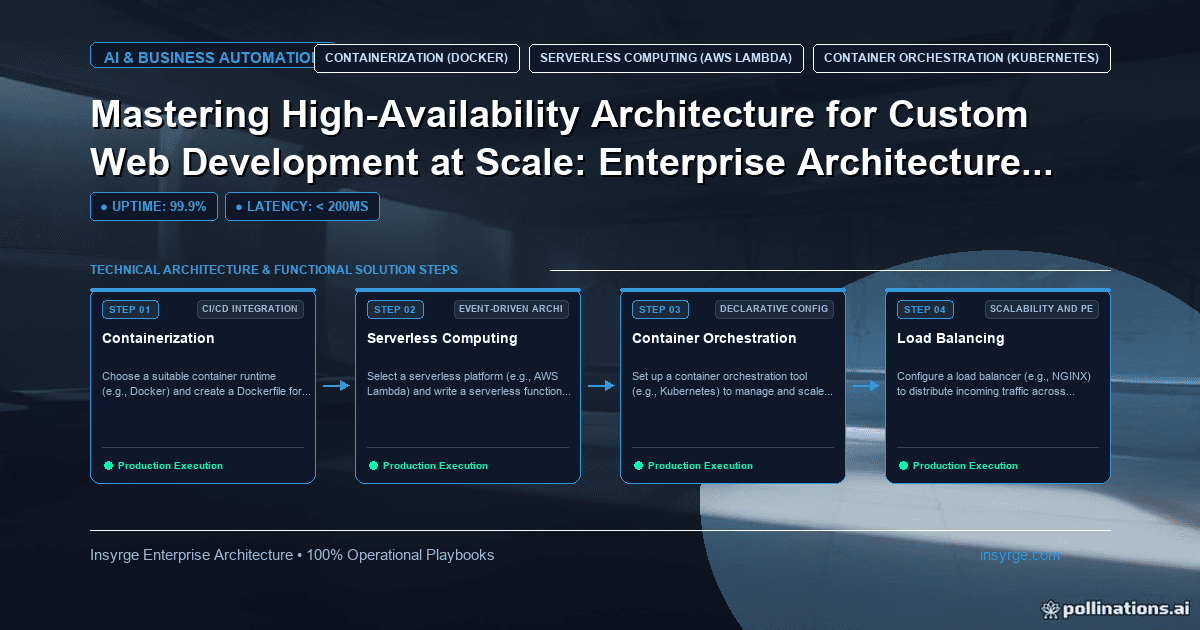
Plan high availability architecture from clear targets: RTO and RPO, redundancy across zones, stateless servers, tested backups and safe releases.
For many businesses, the website or web application is where customers place orders, log in to see their accounts or book appointments. When it goes down, revenue stops and support lines fill up. Yet "make it highly available" is not a requirement anyone can build to. High availability architecture is the practice of setting a clear availability target, finding every component whose failure would take the system down, and adding redundancy, automatic failover and recovery where the target demands it. This guide explains how to define the target, remove single points of failure layer by layer, protect data, release safely and prove the design works, without over-engineering a system that does not need it.
 Define availability before designing for it
The AWS Well-Architected reliability guidance defines availability as the percentage of time a workload is available for use, measured over a period such as a month or a year, and notes that in the strictest interpretation, scheduled interruptions count as well as unscheduled ones. A target such as 99.9% over a 30-day month allows about 43 minutes of downtime; each extra "nine" cuts that allowance by a factor of ten and usually raises cost and complexity sharply.
Pair the availability target with two recovery objectives. AWS's disaster recovery guidance defines the Recovery Time Objective as the maximum acceptable delay between interruption and restoration of service, and the Recovery Point Objective as the maximum acceptable time since the last data recovery point, in other words how much data you can afford to lose.
Set these per service, not for the whole company. A public checkout may justify a demanding target; an internal reporting page may not.
Find single points of failure
A single point of failure is any component whose loss stops the service. Walk through a request from the user's browser to the database and back, listing every component it touches:
- DNS and any CDN in front of the site
- Load balancer
- Application servers or containers
- Caches and session stores
- Databases and file storage
- Background workers and queues
- External services, such as payment or identity providers
For each one, ask: if this disappeared now, what would happen, and how long would recovery take? Anything with no answer except "we would rebuild it" is a candidate for redundancy.
High availability architecture, layer by layer
Redundancy looks different at each layer:
- Application tier: run at least two instances, spread across separate failure zones such as different data centres or cloud availability zones, behind a load balancer that health-checks them and stops sending traffic to failing instances
- Stateless servers: keep sessions and uploaded files out of individual servers, in a shared store, so any instance can serve any request and failed ones can be replaced freely
- Database: use a managed database or replication with a standby in another zone and automatic failover; know how long failover takes and what your application does during it
- Caches: treat them as disposable; the application should work, if more slowly, when the cache is empty
- Background work: use durable queues so jobs survive the loss of a worker
- External dependencies: you cannot make them redundant, but you can design for their failure with timeouts and fallbacks
Our guide to Kubernetes zero downtime deployment covers spreading and replacing application instances if you run on Kubernetes.
Protect the data, not just the servers
Redundant servers do not help if data is lost or corrupted. Replication protects against hardware failure but faithfully copies mistakes, such as an accidental deletion. You also need backups, taken on a schedule that meets your Recovery Point Objective, stored separately from the primary system, and tested by restoring them. A backup that has never been restored is an assumption, not a safeguard.
Releases are the most common outage
Many outages are caused not by hardware but by changes: a deployment with a bug, a configuration change, a database migration that locks a table. High availability architecture must include safe releases:
- Rolling or blue-green deployments that keep old instances serving until new ones are healthy
- Database changes made in backward-compatible steps
- Feature flags to switch off a problem feature without redeploying
- A tested, quick rollback
Worked example: availability design for a booking application
The table below shows a hypothetical design for a customer booking application with a demanding availability target. Choices are illustrative and should follow your own targets and budget.
LayerSingle point of failure beforeChangeRecovery behaviourApplicationOne virtual machineSeveral containers across two zones behind a load balancerFailed instance removed by health checks and replacedSessionsStored in server memoryShared session storeUsers stay logged in if an instance failsDatabaseSingle instance, nightly backupManaged database with standby in second zone, frequent backupsAutomatic failover; backups restored in drillsFile uploadsServer diskObject storageUnaffected by instance lossEmail confirmationsSent during the booking requestQueued and sent by workersBookings succeed even if email provider is slowDeploymentsManual, in placeRolling deployments with health checks and rollbackBad release stopped before all instances update
The team documents the expected failover time for each layer and checks that the combination fits the target.
Plan for regional problems separately
Spreading across zones within one region protects against the loss of a data centre. It does not protect against a problem affecting a whole region or a provider-wide incident. Decide whether your targets require that level of protection. If they do, options range from keeping backups in another region, which is cheap but slow to recover, to running a scaled-down copy that can be scaled up, to running fully in two regions, which is fast to recover but expensive and complex. Choose based on your recovery objectives rather than on what seems most impressive.
Test failure on purpose
Design documents do not prove availability; tests do. Regularly:
- Stop an application instance and confirm traffic continues
- Trigger a database failover in a test environment and measure how long the application takes to recover
- Restore a backup to a separate environment and check the data
- Run a deployment and rollback under realistic load
Record what you learn and fix the gaps. Our guide to client portal performance covers monitoring uptime and response times, which tells you whether the design is meeting its target in practice.
Common mistakes in availability design
- No written availability target or recovery objectives
- Two servers in the same failure zone
- Sessions or files stored on individual servers
- Replication without tested backups
- Ignoring releases as a cause of downtime
- Redundancy everywhere, including where the business does not need it
Frequently Asked Questions
What is high availability architecture?
It is designing a system so that the failure of any single component does not stop the service, using redundancy, health checks, automatic failover and tested recovery, to meet a defined availability target.
How is availability measured?
As the percentage of time a service is available over a period, such as a month or year. AWS guidance notes that, strictly, scheduled interruptions also reduce availability.
What are RTO and RPO?
According to AWS guidance, RTO is the maximum acceptable delay between interruption and restoration of service; RPO is the maximum acceptable time since the last data recovery point.
Is replication enough to protect data?
No. Replication copies mistakes and corruption too. Backups stored separately and tested by restoring them are also needed.
Keep your application available
We design and build web applications with redundancy, safe releases and tested recovery matched to your targets. See our custom app development services, or talk to us about availability.
About the Author
Manav Sharma is the founder of Insyrge and a CRM solutions architect. He works across Zoho, Salesforce, HubSpot, Odoo and more, designing the CRM setups, integrations and automations that keep sales and operations teams working from the same data.
Need Help Implementing This in Your Business?
Our certified Zoho consultants and automation experts can help you design and deploy custom workflows tailored to your operations.
Book Free Consultation