


Client Portal Integration with CRM and ERP
How to connect a client portal to CRM, accounting and project systems with the right patterns, write-backs and failure handling.
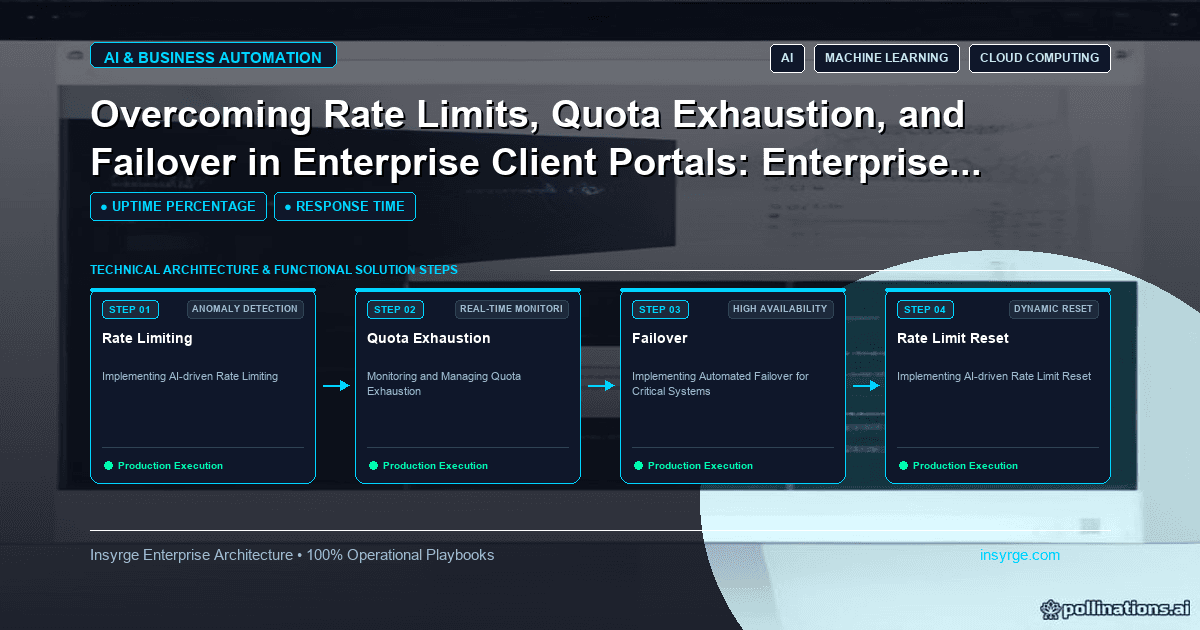
Client portal integration done well: choose live, synced or event patterns, match clients by ID, queue write-backs, respect API limits and reconcile.
A client portal is only as useful as the data behind it, and that data almost never lives in the portal. Project status sits in a project tool, invoices in an accounting system, contacts and cases in a CRM. Client portal integration is the work of connecting the portal to those systems: reading data out, writing client actions back, keeping identities matched and coping when a source system is slow, rate-limited or down. Done well, clients see accurate, current information and their actions reach your team instantly. Done badly, the portal shows stale data, fails at busy times or exhausts API quotas that other integrations depend on. This guide explains the integration patterns, how to match clients across systems, how to handle write-backs, rate limits and failures, with a worked integration map.
 Map the data first
List every piece of information the portal shows or collects and, for each, its source system, how current it must be, and whether the portal only reads it or also changes it. This integration map drives every design decision that follows. It often reveals surprises, such as a field that exists in two systems with different values, or a status the portal needs that no system stores explicitly.
Client portal integration patterns
PatternHow it worksBest forWatch out forLive readPortal calls the source API when a page loadsSmall, critical items that must be currentLatency, outages and API limitsScheduled syncData copied into the portal's store at intervalsLists and history that change slowlyFreshness gaps between runsEvent-driven syncSource sends webhooks or change notifications; portal updates its copyData that changes unpredictably and should appear quicklyMissed events; needs periodic reconciliationWrite-backPortal sends client actions to the source systemUploads, approvals, requests, contact updatesValidation, duplicates, retries
Most portals combine these: synchronised copies for lists, events to keep them fresh, live reads for one or two critical items, and write-backs for client actions.
Matching clients across systems
The portal must know which records in each system belong to which client organisation. Store the CRM account ID, accounting customer ID and any project tool client ID against each portal organisation, and use those IDs, never names, to filter data. Set this mapping up when a client is onboarded to the portal, and validate it: a client mapped to the wrong accounting customer would see someone else's invoices, which is a serious breach. Automated checks, such as confirming that the CRM account and accounting customer share the same tax ID or billing email, catch mapping mistakes early.
Write-backs
When a client uploads a document, approves a change or raises a request, the action should reach the right system promptly and exactly once:
- Validate input in the portal before sending it on
- Queue write-backs, so a temporary outage in the target system delays them instead of losing them
- Make them idempotent, for example by including a unique request ID, so retries do not create duplicates
- Show the client a clear status, such as "Received" then "Logged with your account team"
- Record who did what and when, for audit
Rate limits and quotas
Most SaaS APIs limit how many requests you can make. A portal that calls the CRM live on every page view can consume a large share of the daily allowance, starving other integrations. Reduce calls by synchronising data rather than reading it live, requesting only needed fields, and batching where the API allows. When an API responds with HTTP 429, defined in RFC 6585 as "Too Many Requests", back off and respect any Retry-After header. Budget each integration's share of the quota so the portal cannot crowd out others.
Failures and failover
Source systems will be slow or unavailable at times. Design the portal to degrade gracefully:
- Serve synchronised data with a "last updated" note when the source is unreachable
- Use timeouts on every external call, so one slow system does not hang the whole page
- Stop calling a failing system for a short period after repeated errors, a pattern often called a circuit breaker, rather than piling on more requests
- Queue write-backs during outages and process them when the system recovers
- Alert your team when a source has been unreachable or a queue has grown beyond normal
Keeping data consistent
Event-driven updates can be missed, and scheduled syncs can fail. Run a periodic reconciliation that compares record counts or checksums between the portal's copy and the source, and refreshes anything that differs. Make reconciliation results visible to your team, so drift is spotted before clients notice.
Worked example: integration map for an IT services portal
Suppose an IT services company's portal draws on a CRM for contacts and contracts, a service desk tool for tickets and an accounting system for invoices. Its integration map:
DataSourcePatternFreshnessPortal roleOrganisation and contactsCRMEvent-driven sync plus nightly reconciliationMinutesRead; client admins can request changesContracts and service levelsCRMNightly syncDailyReadTicketsService deskEvent-driven syncUnder a minuteRead and create; comments written backInvoices and balanceAccountingSync every 30 minutes30 minutesRead and downloadPayment status after payingPayment providerLive read for that invoiceReal timeReadDocument uploadsPortal storageWrite-back link to ticket or contractImmediateCreate
New tickets created in the portal are queued and written to the service desk with a unique request ID, so a retry never creates a second ticket. If the accounting system is unavailable, the invoice page shows the last synchronised data and its timestamp. The company caps the portal's use of the CRM API at a fixed share of the daily quota, alerting if usage approaches it. The patterns and intervals are this company's choices, shown to illustrate the method.
Common mistakes
- Reading every page live from back-office APIs
- Matching clients by name rather than stored IDs
- Write-backs without queues or idempotency
- No timeouts, so one slow system hangs the portal
- Ignoring API quotas shared with other integrations
- No reconciliation, so drift goes unnoticed
For the overall portal architecture, see our guide to client portal development. If the portal draws on Zoho CRM, our guide to Zoho CRM API limits explains quotas and how to work within them.
Frequently Asked Questions
What is client portal integration?
Connecting a client portal to back-office systems such as a CRM, accounting or project tool, so it shows their data and sends client actions back to them.
Should a client portal read data live or sync it?
Usually sync lists and history into the portal's own store and read live only for a few critical items. Syncing is faster, more resilient and lighter on API quotas.
How do client portals handle API rate limits?
By syncing rather than reading live, requesting only needed fields, batching, backing off on HTTP 429 responses and budgeting each integration's share of the quota.
What happens if the CRM is down?
A well-designed portal shows the last synchronised data with a timestamp and queues client actions until the CRM recovers.
Connect your portal properly
We integrate client portals with CRMs, accounting and service systems, with queues, reconciliation and quota management built in. See our custom app development services, or talk to us about your portal.
About the Author
Manav Sharma is the founder of Insyrge and a CRM solutions architect. He works across Zoho, Salesforce, HubSpot, Odoo and more, designing the CRM setups, integrations and automations that keep sales and operations teams working from the same data.
Need Help Implementing This in Your Business?
Our certified Zoho consultants and automation experts can help you design and deploy custom workflows tailored to your operations.
Book Free Consultation