


Python Email Automation for Reports and Alerts
How to send scheduled reports and alerts from Python with the standard library, secure connections and safe handling of failures.
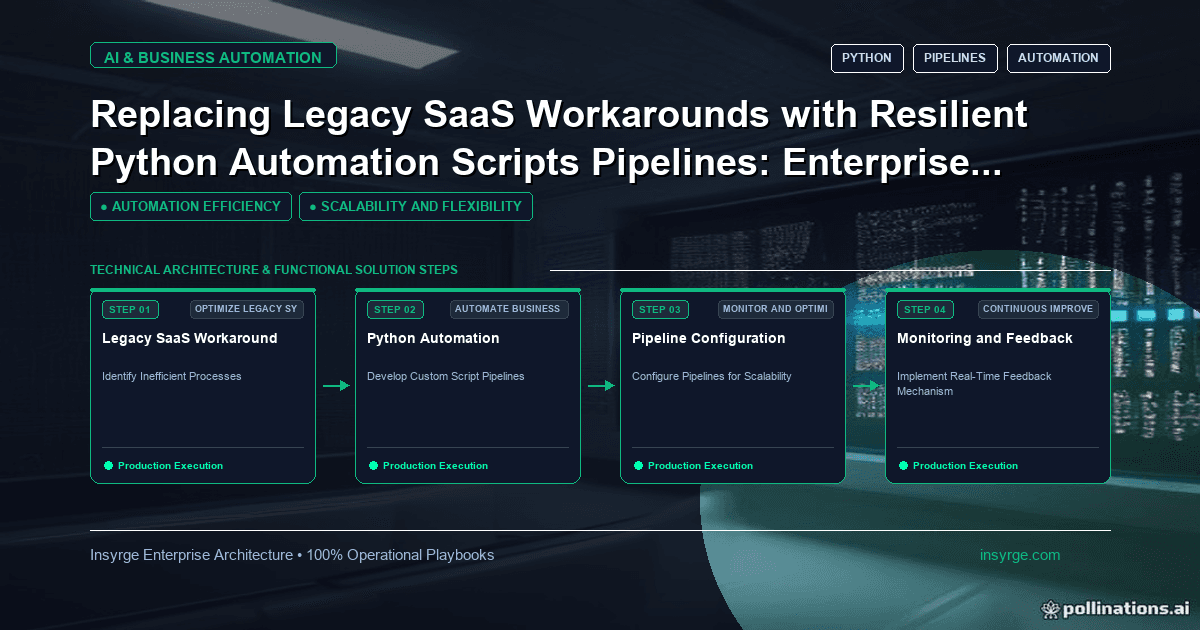
Build Python email automation for reports and alerts: compose with EmailMessage, connect securely, attach files, keep secrets out of code, handle errors.
Plenty of business processes end with someone sending an email: the weekly sales summary, the list of invoices that failed to sync, the alert that a supplier file did not arrive. When the data already lives in a script, sending the email from the same script removes a manual step and the delays that come with it. Python email automation needs nothing beyond the standard library for most of these jobs. The harder parts are elsewhere: connecting securely, keeping credentials safe, not spamming people with duplicate alerts and knowing when a message failed to send. This guide covers how to build reliable report and alert emails from Python, and when to use an email service instead of a direct connection.
 Decide what should be an email
Not every notification belongs in an inbox. Email works well for summaries people read on a schedule, documents they need to keep and alerts that need a human decision. It works poorly for high-volume events, for information that is better seen in a dashboard and for anything urgent that a chat or paging tool would deliver faster. Before automating, agree with recipients what they will receive, how often and what they are expected to do with it. A report nobody reads is noise that trains people to ignore the important ones.
Build messages with EmailMessage
The Python documentation describes EmailMessage, in the email.message module, as the central class in the email package and the base class for its email object model (Python: email.message). It handles headers, encodings and multipart structure for you, so you do not need to assemble raw message text by hand.
A typical report message sets the subject, sender and recipients, adds a short plain-text body and attaches the report file. The add_attachment method creates a multipart message when needed and adds the file with its content type. Keep the body short: what the report covers, the key numbers and where to find more detail.
Python email automation and secure connections
To send the message, the smtplib module connects to a mail server and its send_message method sends an EmailMessage (Python: smtplib). The documentation describes two ways to encrypt the connection: start a plain connection and upgrade it with starttls, or use SMTP_SSL when SSL is required from the beginning of the connection. Which one to use depends on your mail server; its documentation will say which port and method it expects. Always use one of them, and pass a timeout so a slow server does not hang the script.
Many organisations restrict which systems can send mail through their servers. Ask your email administrator for an account or relay intended for automated messages, rather than using a person's mailbox credentials.
Keep credentials out of code
The SMTP username and password, or API key if you use an email service, should come from environment variables or a secrets manager. Read them at startup and stop with a clear error if they are missing. Never write them into the script, a configuration file in version control or the logs. If credentials leak, rotate them immediately.
Consider an email API
For low volumes of internal mail, a direct SMTP connection is usually enough. Transactional email services that offer an HTTP API can add features such as delivery tracking, bounce handling and templates. Our comparison of SMTP relay vs email API explains the trade-offs in more detail. Whichever you choose, set up authentication for the sending domain so messages are less likely to be treated as spam.
Avoid alert storms
A script that sends an email for every failed record can bury recipients in hundreds of messages during an outage. Design alerts to stay useful:
- Group failures into one summary per run instead of one email per record
- Suppress repeat alerts for the same problem within a set period
- Send a recovery message when the problem clears
- Include a clear subject line with the job name and status, so people can filter
Worked example: a hypothetical notification plan
The table below is a hypothetical plan for emails sent by a nightly invoice sync script. It illustrates the decisions involved, not a recommended configuration.
MessageRecipientsWhenContentDaily summaryFinance team listAfter each successful runCounts synced, skipped and failed, link to detailsFailure alertOperations on-call addressWhen the run fails or records failJob name, error summary, run IDRepeat failureSame as aboveNot more than once per hour per problemUpdated count, time first seenRecovery noticeSame as aboveFirst successful run after a failureConfirmation and countsMonthly reportFinance managerFirst working day of the monthAttached spreadsheet, short summary
Handle failures when sending
Sending can fail too: the server may be down, credentials may have expired or a recipient address may be rejected. Catch exceptions from the send step, log them with the message subject and recipients, and retry a small number of times with a pause between attempts. If the email still cannot be sent, write the failure to the log at error level so your monitoring picks it up. For alerts, consider a second channel as a fallback.
Record what was sent
Keep a simple record of each message the script sends: time, subject, recipients, attachment names and whether the send succeeded. When someone asks whether last Tuesday's report went out, or who received a file, you can answer from the record instead of searching mailboxes. Store the record with your other run logs, apply the same retention rules and leave out the message body if it contains sensitive data.
Test without emailing real people
During development, point the script at a test mail server or a sandbox account, or replace the send function with one that writes messages to a file. Check the subject, recipients, attachments and body before enabling real sending. Our guide to Python automation scripts covers testing and scheduling patterns that apply here too.
Respect recipients and records
Automated emails often contain business data. Send only what recipients need, avoid attaching full exports of personal data, and use links to systems with access controls when the information is sensitive. Keep distribution lists current so people who change roles stop receiving reports they should no longer see.
Frequently Asked Questions
Can Python send emails without extra libraries?
Yes. The standard library includes the email package for building messages and smtplib for sending them through a mail server.
Should I use starttls or SMTP_SSL?
It depends on the mail server. The Python documentation describes SMTP_SSL for connections where SSL is required from the beginning; otherwise use starttls on a plain connection. Follow your server's instructions.
How do I stop scripts from flooding inboxes with alerts?
Group failures into one summary per run, suppress repeats of the same problem for a period and send a recovery message when it clears.
When should I use an email API instead of SMTP?
When you need delivery tracking, bounce handling, templates or higher volumes. For a few internal reports, SMTP is usually enough.
Automate reports people actually read
We build Python automations that produce and send reports and alerts reliably, with secure credentials and sensible alerting. See our custom app development services, or talk to us about Python email automation.
About the Author
Manav Sharma is the founder of Insyrge and a CRM solutions architect. He works across Zoho, Salesforce, HubSpot, Odoo and more, designing the CRM setups, integrations and automations that keep sales and operations teams working from the same data.
Need Help Implementing This in Your Business?
Our certified Zoho consultants and automation experts can help you design and deploy custom workflows tailored to your operations.
Book Free Consultation