


Real-Time ERP Integration: When It Is Worth It
Which ERP data truly needs real-time sync, what it costs, how to avoid data loss and when batch is the better choice.
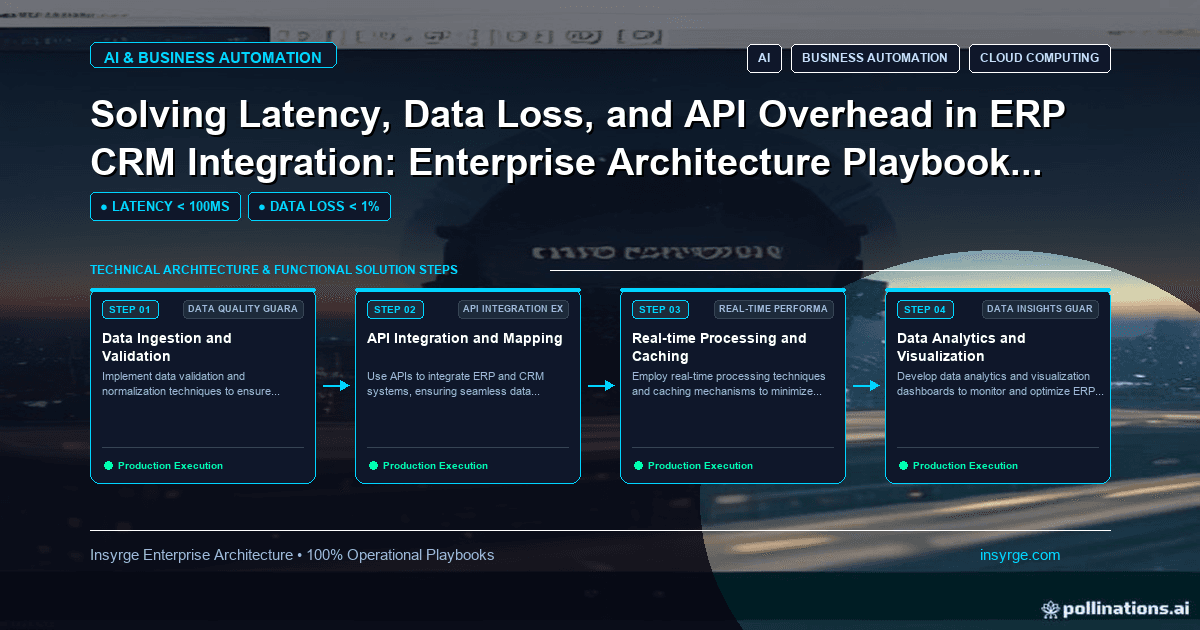
Decide where real-time ERP integration is worth the effort, how events and change data capture avoid data loss, and where scheduled batch sync is enough.
"Real-time" is one of the most requested features in integration projects and one of the most expensive to deliver. It sounds obviously better: why wait for data when it could arrive instantly? But real-time ERP integration adds infrastructure, failure modes and monitoring, and for many data flows a scheduled batch every hour or every night is perfectly adequate. The skill is knowing which flows genuinely need real-time delivery, building those carefully so data is not lost, and using simpler batch syncs for the rest. This guide covers how to decide, what real-time costs, how to avoid data loss, and when batch remains the better choice.
 What real-time ERP integration really means
In practice, "real-time" usually means near real-time: changes reach the other system within seconds or a few minutes, triggered by events rather than a schedule. True instant consistency across separate systems is rarely possible or necessary.
Three common patterns:
- Synchronous calls: one system calls the other's API during a user action and waits for a response, such as checking stock before confirming an order
- Event-driven sync: a change in one system emits an event, which is queued and processed shortly after
- Change data capture: changes in a database are read from its log and streamed to other systems
Which flows need real-time delivery
Ask what happens if the data arrives an hour late. Real-time delivery is usually justified when delay causes real harm:
- Stock availability shown to customers or salespeople, where overselling is costly
- Credit holds, where sales should not take orders from a customer finance has stopped
- Order confirmation, where customers expect immediate acknowledgement
- Payment status, where fulfilment or access depends on it
Batch is usually fine for:
- Historical reporting and analytics
- Product descriptions and other slow-changing reference data
- Commission calculations and periodic summaries
- Bulk price list updates on a known schedule
Our guide to legacy ERP CRM integration covers how to approach older ERP systems that may not support events at all.
What real-time costs
Real-time ERP integration brings costs that batch does not:
- Infrastructure: endpoints, queues, workers and monitoring that run continuously
- API usage: more frequent calls, which can approach rate limits on busy days
- Complexity: handling out-of-order events, duplicates and partial failures
- Coupling: synchronous calls make one system's availability depend on another's
- Support: someone must respond when the real-time path fails, often outside office hours
These costs are worth paying for the flows that need them, and wasted on flows that do not.
Avoid data loss in real-time flows
The main risk in event-driven integration is losing changes: an event is emitted but the receiving system is down, the message is dropped, or a crash happens between updating the database and sending the event.
Two well-established patterns address this:
- Transactional outbox: the source system writes the business change and an outbox record in the same database transaction, and a separate relay publishes outbox records to the message broker. The microservices.io description of the transactional outbox notes that the relay might publish a message more than once, so consumers must be idempotent.
- Change data capture: instead of the application emitting events, a tool reads the database's change log. Debezium, for example, is an open source distributed platform for change data capture that streams inserts, updates and deletes committed to a database.
Either way, use durable queues between systems, idempotent consumers and a dead letter path for events that keep failing. Our guide to database synchronization covers detecting and fixing drift when systems still diverge.
Keep a batch safety net
Even well-built real-time flows miss occasional changes. A scheduled reconciliation, comparing recent changes or record counts between systems, catches what slips through. It can run far less often than a batch-only design, such as nightly, because it only needs to find the rare gaps.
Worked example: real-time or batch for each ERP flow
The table below shows a hypothetical decision for a wholesaler connecting its ERP with a CRM and an online store. Timings are illustrative.
Data flowDelay acceptable?Chosen approachSafety netStock levels to online storeNo, overselling riskEvent-driven, within 1 minuteHourly full stock checkCredit hold to CRMNo, orders must stopEvent-driven, within 1 minuteNightly reconciliationNew orders from store to ERPNo, fulfilment starts same dayEvent-driven via queueHourly missed-order checkInvoices to CRMYes, within hoursBatch every 2 hoursNightly count comparisonProduct descriptions to storeYes, dailyNightly batchWeekly full comparisonSales history for reportingYes, dailyNightly batchMonthly reconciliation
In this design, only three flows carry the cost of real-time delivery. The rest stay simple.
Design synchronous calls with care
Sometimes a user action must wait for the ERP, such as checking credit before saving an order. When you use synchronous calls:
- Set short timeouts so the user is not left waiting
- Decide what happens when the ERP does not respond: block, allow with a warning, or queue for review
- Cache answers that do not change often
- Avoid chains where one synchronous call triggers several more
Check what the ERP supports
Real-time options depend heavily on the ERP itself. Before designing, find out:
- Whether the ERP can emit events or webhooks for the records you need
- Whether its API can handle the call volume real-time delivery implies
- Whether direct database access is allowed and supported, if change data capture is considered
- How the vendor handles upgrades that might change tables or APIs
Older or heavily customised ERP systems may offer none of these, in which case frequent incremental polling of a reliable "modified since" field may be the closest practical option to real time.
Monitor the real-time path
Track queue depth, the age of the oldest unprocessed event, error rates and end-to-end delay for each real-time flow. Alert when delay exceeds the target agreed with the business, so problems are fixed before users notice stale data.
Common mistakes
- Making every flow real-time because it sounds better
- Emitting events outside the database transaction, so crashes lose changes
- No idempotency, so redelivered events create duplicates
- No reconciliation, so silent gaps grow over months
- Synchronous calls with long timeouts that freeze user screens
Frequently Asked Questions
What is real-time ERP integration?
It is connecting an ERP with other systems so changes reach them within seconds or minutes, triggered by events, rather than in scheduled batches.
When is real-time integration worth the cost?
When delays cause real harm, such as overselling stock, taking orders from customers on credit hold or delaying fulfilment and payment confirmation.
How do you avoid losing data in real-time integrations?
Use patterns such as the transactional outbox or change data capture, durable queues, idempotent consumers and a scheduled reconciliation to catch rare gaps.
Is batch integration outdated?
No. For reporting, reference data and slow-changing information, scheduled batches are simpler, cheaper and easier to support, and they make good safety nets for real-time flows.
Put real-time where it matters
We assess which ERP flows need real-time delivery, build event-driven integrations with outbox or change data capture patterns and keep the rest simple. See our CRM and API integration services, or talk to us about ERP integration.
About the Author
Manav Sharma is the founder of Insyrge and a CRM solutions architect. He works across Zoho, Salesforce, HubSpot, Odoo and more, designing the CRM setups, integrations and automations that keep sales and operations teams working from the same data.
Need Help Implementing This in Your Business?
Our certified Zoho consultants and automation experts can help you design and deploy custom workflows tailored to your operations.
Book Free Consultation