


Automation Runbook: Fix Failed Workflows Fast
How to write runbooks that tell on-call staff how to diagnose, fix, replay and communicate when a business automation breaks.
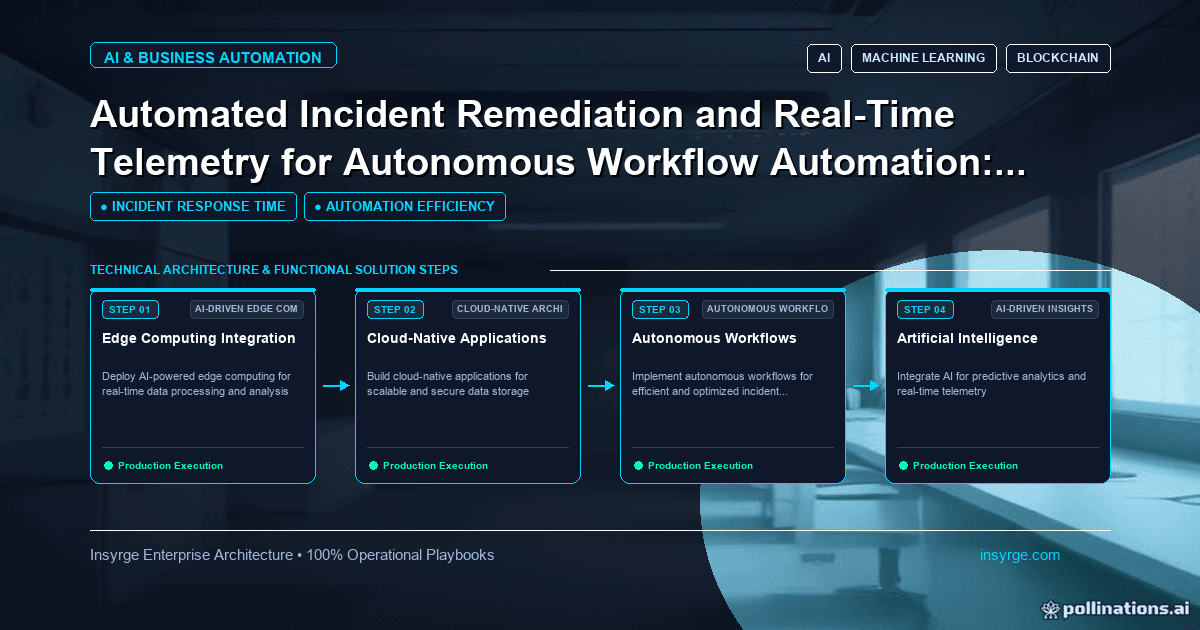
Write an automation runbook for each critical workflow: symptoms, checks, safe fixes, replay steps, escalation contacts and how to tell affected teams.
When a critical automation breaks, the first hour often decides how much damage it does. If the person on duty knows what the workflow does, where to look, what is safe to change and how to reprocess failed work, the problem is usually contained quickly. If they have to work it out from scratch while orders pile up, it can take a day and create new problems along the way. An automation runbook is a short, practical guide for each important workflow that tells responders how to diagnose the failure, apply safe fixes, replay missed work and keep affected teams informed. This guide explains what a runbook should contain, how to write one people will use and how to keep it current.
 Why automations need runbooks
Business automations are often built by one person and understood by few. When they fail:
- The builder may be unavailable or have left
- Responders do not know which systems are involved
- Quick fixes, such as rerunning everything, can create duplicates
- Nobody is sure who to tell or what to say
- The same problem is investigated from scratch each time
A runbook captures the knowledge needed to respond calmly and consistently.
Which workflows need a runbook
Write runbooks first for workflows where failure has a real business impact:
- Order processing and fulfilment
- Billing, invoicing and payment steps
- Lead capture and assignment
- Data syncs feeding reports or other systems
- Customer communications
Low-risk notifications may not need a full runbook; a line in the automation inventory may be enough.
What an automation runbook should contain
A useful runbook covers:
- Purpose: what the workflow does and why it matters
- Systems and dependencies: where it runs, what it connects to and what depends on it
- Owners and contacts: business owner, technical owner and vendor support
- Normal behaviour: when it runs, typical volumes and how long it takes
- Symptoms: what a failure looks like, such as alerts, missing records or user complaints
- Checks: where to look first, such as run history, error logs or connection status
- Safe fixes: steps responders may take, such as reconnecting a credential or retrying a run
- Replay: how to reprocess failed or missed items without creating duplicates
- Escalation: when and to whom to escalate
- Communication: who to inform and template messages
- Known issues: problems that have happened before and how they were fixed
Write for someone under pressure
Responders often read runbooks while something is going wrong. Keep them short and direct:
- Use numbered steps with one action each
- Put the most common causes first
- Include exact locations, such as menu paths or log names
- Say clearly what not to do, such as not deleting failed items
- Link to dashboards and logs rather than describing them
Avoid long background explanations. Put them in separate documentation if needed.
Worked example: an automation runbook
The table below summarises a hypothetical runbook for an order sync between an online shop and a warehouse system. Systems and details are illustrative.
SectionContentPurposeSends new paid orders to the warehouse system every 5 minutesDependenciesShop API, integration platform, warehouse API; warehouse picking depends on itOwnersBusiness: operations manager. Technical: integration developer. Vendor: warehouse support lineNormal behaviourRuns every 5 minutes; 20 to 150 orders per hour in business hoursSymptomsAlert "orders not synced after 15 minutes"; warehouse reports no new ordersCheck 1Integration platform run history: are runs failing or not starting?Check 2Connection status for shop and warehouse: expired credentials?Check 3Warehouse status page or support: is their API available?Safe fixesReconnect expired credential using the service account; retry failed runs once the cause is fixedReplayUse the "resend orders since" function with the time of the last successful sync; the warehouse ignores duplicate order numbersDo notDo not manually re-enter orders in the warehouse; do not delete failed runsEscalateIf not resolved within 30 minutes, call technical owner; if warehouse API is down, call vendor supportCommunicateTell the warehouse team and customer service; use the template "order sync delay"Known issuesCredential expiry after password policy changes; warehouse maintenance windows on Sunday nights
A responder can follow this without knowing how the integration was built.
Make replay safe
The riskiest step in many incidents is reprocessing. Before writing replay instructions, confirm whether actions are idempotent, so repeating them does not create duplicates. If not, document how to identify exactly which items failed and process only those. Our guide to workflow monitoring explains how to keep failed items in a queue so they can be reviewed and replayed.
Include communication steps
Affected teams need to know what is happening. A runbook should say who to tell, such as customer service, finance or sales, when to tell them and what to say. Short templates for "delay", "resolved" and "action needed" save time and keep messages consistent.
Link runbooks to alerts
Every alert for a critical workflow should include a link to its runbook. Responders then go straight from the alert to the steps, without searching. Store runbooks in one place that everyone on duty can access, even if a main system is unavailable.
Practise and improve
Test runbooks before you need them. Walk through them with someone who did not write them, or simulate a failure in a test environment. After real incidents, hold a short review: what happened, what helped, what was missing and what to change. Update the runbook immediately.
Keep runbooks current
Runbooks go stale when workflows change. Make updating the runbook part of every change to the automation, and review each runbook at least every six months. Record the date of the last review at the top. Our guide to Zoho CRM integration troubleshooting shows common diagnostic steps that are worth capturing in CRM-related runbooks.
Agree who is on duty
A runbook needs someone to follow it. For critical workflows, agree who responds during business hours and, if needed, outside them. This does not have to be a formal on-call rota for a small business; it may simply be a named person and a backup for each workflow. Make sure they have the access the runbook assumes, such as logins to the integration platform and the right to reconnect credentials.
Start with your most critical workflow
Writing runbooks for every automation at once is daunting. Start with the one whose failure would hurt most, write a first version in an hour, test it, then move to the next.
Frequently Asked Questions
What is an automation runbook?
It is a short guide for a specific automation explaining what it does, how failures appear, what to check, safe fixes, how to replay missed work, when to escalate and who to inform.
Who should write the runbook?
The person who built or maintains the automation, with input from the business owner and someone who will respond to incidents.
How do you replay failed work safely?
Confirm actions are idempotent or identify exactly which items failed, then reprocess only those, following documented steps.
How often should runbooks be updated?
Whenever the automation changes, after every incident and at least every six months as a routine review.
Respond to automation failures with confidence
We write runbooks, add alerts and build safe replay tools for your critical workflows. See our AI automation solutions, or talk to us about automation runbooks.
About the Author
Manav Sharma is the founder of Insyrge and a CRM solutions architect. He works across Zoho, Salesforce, HubSpot, Odoo and more, designing the CRM setups, integrations and automations that keep sales and operations teams working from the same data.
Need Help Implementing This in Your Business?
Our certified Zoho consultants and automation experts can help you design and deploy custom workflows tailored to your operations.
Book Free Consultation