


Sync Audit Log: Trace Changes Between Systems
What a sync audit log should record, how to store it and how it helps you trace incidents and answer questions about changed data.
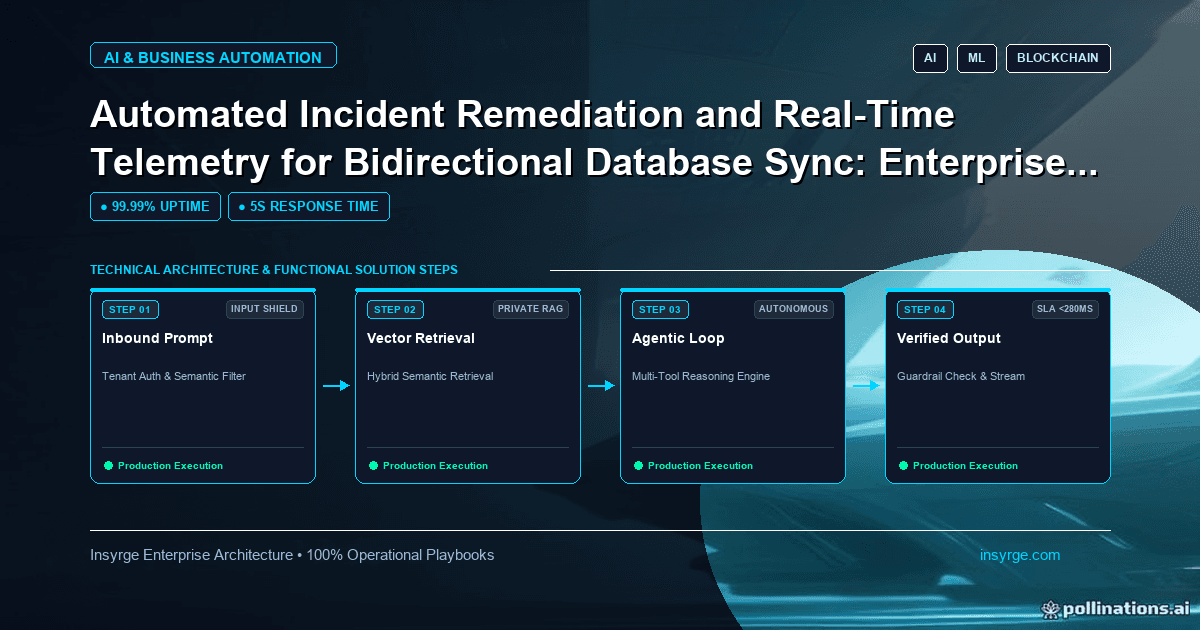
Keep a sync audit log that answers who changed what: record source, target, fields, before and after values and outcome, then retain and search it.
When data moves between systems automatically, questions follow. Why did this customer's address change overnight? Did the payment status reach the CRM before the rep called? Which system set this invoice to cancelled, and what was it before? Without a record of what the sync did, answering means piecing together logs from several systems, if they exist at all. A sync audit log is a dedicated record of every change an integration applies: what changed, where it came from, what it was before and whether it succeeded. This guide explains what to record, how to store and protect it, and how to use it during incidents and everyday questions.
 Why a sync audit log matters
Application logs are written for developers and usually hold technical messages that are rotated away after a short time. Each system's own history, where it has one, shows changes but often records only that "the integration user" made them, without the source record or reason. A sync audit log fills the gap between them. It lets you:
- Answer questions from users and auditors about why data changed
- Trace incidents, such as a bad mapping that overwrote a field on many records
- Find exactly which records were affected and what their previous values were, so you can repair them
- Measure how the sync behaves over time
Our guide to CRM audit trail covers tracking changes made by people inside a CRM. The sync audit log does the same job for changes made by integrations between systems.
What to record for each change
Each entry should describe one change applied to one record in one target system. Useful fields:
- A unique entry ID and the sync run or event ID that produced it
- Source system and source record ID
- Target system and target record ID
- The operation: create, update, delete or skip
- The fields changed, with before and after values
- The rule applied, such as a conflict rule or a mapping version
- The outcome: applied, rejected by the target, failed after retries
- Timestamps for when the source change happened and when it was applied
Recording skips and rejections matters as much as recording successes. A change that was deliberately not applied, because the target owns that field, is often exactly what someone needs to see.
Sync audit log storage choices
Store the log somewhere separate from the systems being synced, so it survives problems in either of them and is not limited by their retention settings. A table in an operational database or a data warehouse works for most teams; an append-only store is better where tamper resistance matters.
If one end of the sync is a PostgreSQL database you control, triggers can record changes on the database side as well. The PostgreSQL documentation describes auditing as creating a table that holds a row for each insert, update or delete on another table, and includes an example audit trigger function written in PL/pgSQL (PostgreSQL: Trigger functions). That captures changes regardless of which process made them, which complements the integration's own log.
Protect sensitive values
Before and after values can include personal and financial data. Treat the audit log with the same care as the systems it describes:
- Restrict read access to people who need it
- Mask or omit fields that are too sensitive to copy, recording only that they changed
- Apply retention periods in line with your data policies, and delete entries when they expire
- Make sure deletion requests for personal data are handled in the audit log too, where the law requires it
Make the log append-only for the integration itself. It should be able to add entries but not edit or delete them.
Worked example: a hypothetical audit entry design
The table below shows hypothetical audit entries for a customer record synced from accounting to a CRM. The values are illustrative.
Time appliedSourceTarget recordOperationFieldBeforeAfterRuleOutcome02:10Accounting customer 5521CRM account 88UpdateBilling cityLeedsYorkAccounting owns billing fieldsApplied02:10Accounting customer 5521CRM account 88SkipPhoneNot applicableNot applicableCRM owns phoneSkipped02:11Accounting customer 5530CRM account 102UpdateCredit statusGoodOn holdAccounting owns credit statusRejected: field locked in CRM
Use the log during incidents
When something goes wrong, the audit log turns guesswork into queries. Typical questions:
- Which records did run X change, and which fields?
- When did this field start receiving a different value?
- How many updates were rejected in the last hour, and why?
- What were the previous values, so we can restore them?
Prepare a few saved queries for these before you need them. During an incident, being able to list affected records and their previous values quickly is what makes a targeted repair possible, instead of restoring whole systems from backup.
Turn the log into monitoring signals
The same data feeds monitoring. Track rates of applied, skipped, rejected and failed changes per sync and alert on sudden shifts, such as a spike in rejections after a schema change in the target. Our guide to Zoho CRM integration monitoring explains how to design alerts that catch integration problems early without overwhelming the team.
Link entries to the cause
An audit entry is most useful when it can be traced back to what triggered it. Record the identifier of the incoming event, webhook or scheduled run, and the version of the mapping or rules in use. When a deployment changes a mapping, you can then separate entries made before and after the change, and see immediately whether a run of unexpected values started with that release. Include the integration's version or build number in each run record for the same reason.
Test the log itself
Audit logging is easy to break without noticing, for example when a new field is added to the sync but not to the log. Add checks to your integration tests that confirm each type of change produces the expected entry, and review a sample of real entries after each release.
Keep it useful for non-developers
Operations and finance teams often have the questions the audit log answers. Give them a simple way to search it, such as a report or dashboard filtered by record, date and field, rather than direct database access. Use readable field names and system names, not internal codes.
Frequently Asked Questions
What is a sync audit log?
It is a record of every change an integration applies between systems, including source and target records, fields changed, before and after values, the rule applied and the outcome.
Is this the same as application logging?
No. Application logs hold technical messages for developers and are usually kept briefly. A sync audit log is a structured, searchable record of data changes kept for a defined retention period.
Should skipped changes be recorded?
Yes. Changes deliberately not applied, for example because another system owns the field, are often exactly what explains an unexpected value.
How long should audit entries be kept?
As long as your data and compliance policies require, with sensitive values masked where possible and entries deleted when the retention period ends.
Know what your integrations changed
We build syncs with audit logs, monitoring and repair tools so every change between systems can be traced. See our real-time CRM and database synchronization service, or talk to us about a sync audit log.
About the Author
Manav Sharma is the founder of Insyrge and a CRM solutions architect. He works across Zoho, Salesforce, HubSpot, Odoo and more, designing the CRM setups, integrations and automations that keep sales and operations teams working from the same data.
Need Help Implementing This in Your Business?
Our certified Zoho consultants and automation experts can help you design and deploy custom workflows tailored to your operations.
Book Free Consultation