


Zoho CRM Integration Monitoring and Alerts
What to measure, how to set alerts people trust and which integration failures can be fixed automatically before users notice.
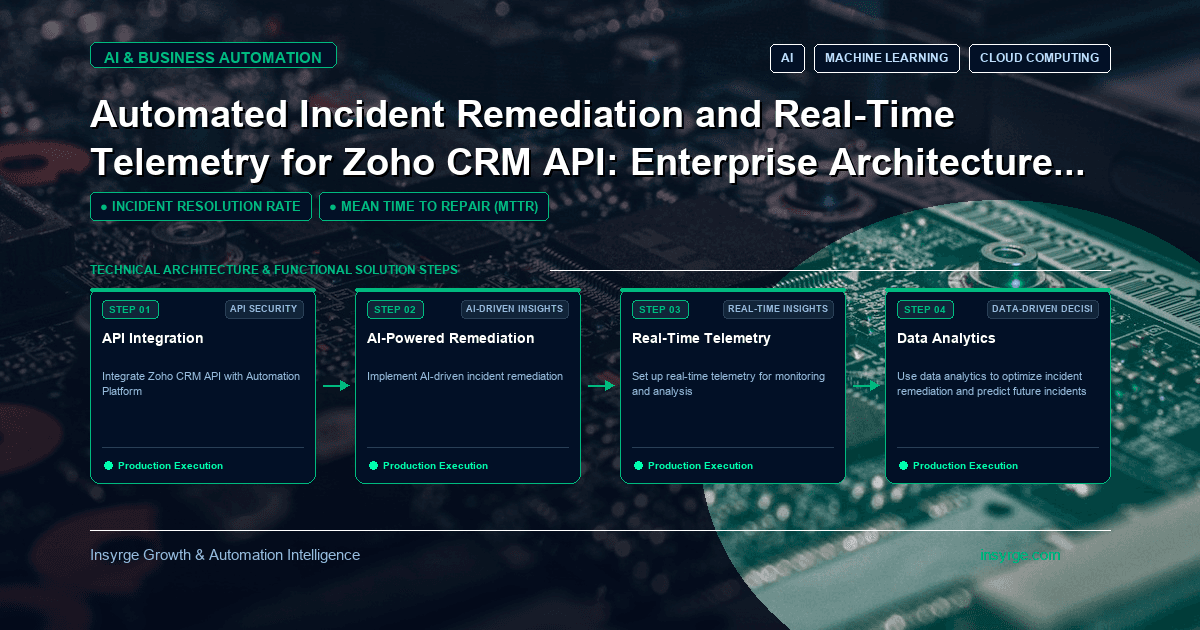
Zoho CRM integration monitoring turns quiet failures into early alerts. Learn what to measure, how to alert and see worked logs, rules and a runbook.
Most integration failures are not dramatic. A token is revoked and leads stop arriving. A credit limit is reached in the afternoon and updates queue silently until the next day. A notification channel expires and the database slowly drifts out of date. Nobody notices until a salesperson asks why a customer is missing. Zoho CRM integration monitoring turns these quiet failures into early, specific alerts, and good telemetry makes them quick to diagnose. This guide covers what to measure, how to set alerts that people trust, which problems can be remediated automatically and which need a person, with a worked example of structured logs, alert rules and a runbook.
 Why integrations fail quietly
Integrations run in the background, between systems owned by different teams. When something breaks, the source system often reports success because it handed the data off, and the destination simply never receives it. Without monitoring, the first signal is usually a complaint. By then, hours or days of data may need replaying.
What to measure in Zoho CRM integration monitoring
SignalWhy it mattersExample of a problem it revealsRecords processed per flowShows the integration is doing workZero new leads synced in business hoursError rate by typeSeparates noise from real problemsA spike in INVALID_DATA after a picklist changeHTTP 429 responsesCredit or concurrency limits reachedA new job consuming the daily allowanceToken refresh failuresAuthentication problemsA refresh token revoked when a user leftQueue depth and oldest item ageWork piling upWorker stopped or Zoho unavailableEnd-to-end latencyTime from source event to CRM updateDelays building during peak hoursNotification channel expiryReal-time feeds stoppingChannel not renewed before its expiry timeDead-letter countRecords that need human attentionMapping error affecting one product line
Zoho's Notification API channels carry an expiry time, which makes renewal one of the easiest things to forget and one of the easiest to monitor.
Logs, metrics and traces
Telemetry has three complementary forms:
- Structured logs: one entry per significant event, with consistent fields such as flow, record ID, outcome, error code and duration
- Metrics: counts and timings aggregated over time, ideal for dashboards and alerts
- Traces or correlation IDs: a shared ID that follows one piece of work across systems, so you can see where it stopped
Even a small integration benefits from structured logs with correlation IDs. Metrics and alerts can be built on top of them.
Worked example: logs, alert rules and a runbook
The illustrative Python below writes one structured log line per API call. These lines can be shipped to any log platform and turned into metrics.
import json, logging, time, uuid

log = logging.getLogger("zoho_integration")
logging.basicConfig(level=logging.INFO, format="%(message)s")

def log_call(flow, endpoint, records, status, codes, started, correlation_id=None):
    log.info(json.dumps({
        "ts": time.strftime("%Y-%m-%dT%H:%M:%S%z"),
        "flow": flow,                         # e.g. "web_leads_to_crm"
        "correlation_id": correlation_id or str(uuid.uuid4()),
        "endpoint": endpoint,
        "records": records,
        "http_status": status,
        "record_codes": codes,                # e.g. {"SUCCESS": 98, "INVALID_DATA": 2}
        "duration_ms": int((time.monotonic() - started) * 1000),
    }))
Alert rules then focus on symptoms that need action. Thresholds below are examples to adapt to your volumes.
AlertConditionSeverityFirst actionFlow stalledNo successful records for a flow in 30 minutes during business hoursHighCheck worker, queue and token statusLimit reachedAny HTTP 429 in the last 15 minutesMediumIdentify the job consuming credits; reduce concurrencyAuthentication failingTwo consecutive token refresh failuresHighCheck whether the refresh token was revoked; re-authoriseQueue backing upOldest queued item older than 20 minutesMediumScale workers or investigate downstream errorsError spikeRecord errors above 5% of a flow's volume in an hourMediumGroup by error code and field; check recent CRM changesChannel expiringNotification channel expires within 24 hours and renewal has not succeededMediumRun renewal; check credentials
Each alert links to a runbook entry describing what to check, how to fix common causes and how to replay affected records. A runbook entry for "Authentication failing" might read: confirm whether the integration user is active; check the token inventory for the client; if the refresh token was revoked, re-authorise using the documented procedure; replay records from the dead-letter queue for the affected period.
What can be remediated automatically
Some responses are safe to automate:
- Refreshing access tokens before they expire
- Renewing notification channels on a schedule
- Backing off and slowing down when limits are reached
- Retrying transient errors with increasing delays
- Restarting a stopped worker and resuming from durable state
Others should stay with people:
- Re-authorising after a refresh token is revoked
- Changing field mappings after validation errors
- Deleting or merging records
- Raising credit allowances or changing editions
Automating the first group reduces noise; keeping the second with people avoids automated changes nobody approved.
Dashboards that answer real questions
A good integration dashboard answers three questions at a glance: is each flow working right now, is anything piling up, and are errors rising? Show records processed and errors per flow over the last day, queue depth, credit-related errors and the status of tokens and notification channels. Keep it to one screen, and put detail in linked views.
Avoiding alert fatigue
Alerts that fire constantly get ignored. Tune thresholds after the first weeks, alert on symptoms rather than every individual error, group related alerts, and route them to the people who can act. Review every alert that fired each month and ask whether it led to useful action.
Ownership and reviews
Name an owner for each integration and a backup. Review the dashboard briefly each day during the first weeks, then weekly. After any incident, write a short note covering what happened, how it was detected, how long it took to fix and what will change, then update alerts and runbooks accordingly.
Starting small
You do not need a full observability platform on day one. Start with structured logs, a daily summary email of processed records and errors per flow, and alerts for stalled flows and authentication failures. Add metrics, dashboards and tracing as the number of integrations grows. The important step is moving from "we find out when someone complains" to "we find out first".
Credit consumption is one of the most common causes of alerts; see our guide to Zoho CRM API limits. For finance integrations, our guide to Zoho CRM ERP integration shows how reconciliation complements monitoring.
Frequently Asked Questions
What should we monitor in a Zoho CRM integration?
Records processed per flow, error rates by type, HTTP 429 responses, token refresh failures, queue depth, end-to-end latency, notification channel expiry and dead-letter counts.
Which integration problems can be fixed automatically?
Token refreshes, notification channel renewals, backoff on limits, transient retries and worker restarts. Re-authorisation, mapping changes and data deletions should stay with people.
How do we avoid too many alerts?
Alert on symptoms such as stalled flows and rising error rates rather than individual errors, tune thresholds after the first weeks and route alerts to the people who can act.
Do we need a monitoring platform?
Not at first. Structured logs, a daily summary and a few key alerts cover most needs; add dashboards and tracing as integrations grow.
Monitor your integrations with us
We add telemetry, alerting and runbooks to Zoho CRM integrations so problems are caught before users notice. See our CRM and API integration services, or talk to us about integration monitoring.
About the Author
Manav Sharma is the founder of Insyrge and a CRM solutions architect. He works across Zoho, Salesforce, HubSpot, Odoo and more, designing the CRM setups, integrations and automations that keep sales and operations teams working from the same data.
Need Help Implementing This in Your Business?
Our certified Zoho consultants and automation experts can help you design and deploy custom workflows tailored to your operations.
Book Free Consultation