


Custom CRM Maintenance: Keep Your System Healthy
What custom CRM maintenance covers, from monitoring and incidents to updates and documentation, and how to plan and budget for it.
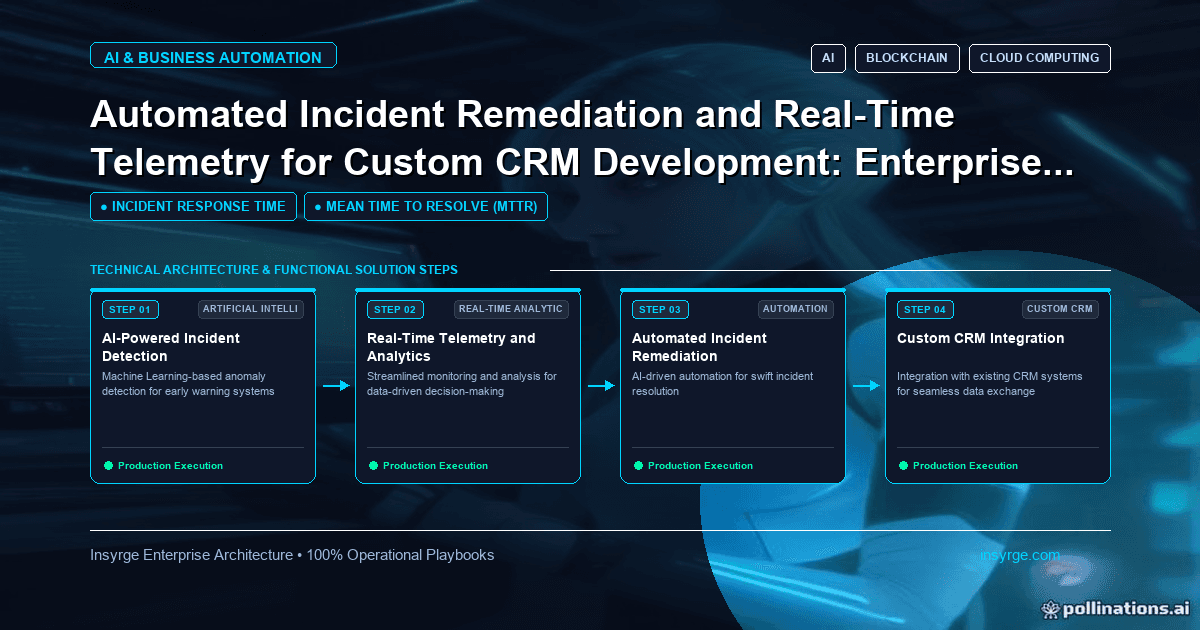
Plan custom CRM maintenance properly: monitoring, incident handling, routine remediation, dependency updates, documentation and a realistic budget.
Launching a custom CRM is the start of its life, not the end of the project. Within months, users ask for changes, a connected system updates its API, a security patch is released for a library the CRM depends on, and data volumes grow past what the original design anticipated. Without a plan, these pile up until the system feels fragile and expensive. Custom CRM maintenance is the ongoing work that keeps a bespoke or heavily customised CRM secure, reliable and useful: monitoring, fixing incidents, updating dependencies, improving features and retiring what nobody uses. This guide explains what maintenance involves, how to organise it, how to handle incidents and how to budget for it, with a worked maintenance plan.
 What custom CRM maintenance covers
AreaTypical workWhy it mattersMonitoringUptime, errors, slow pages, integration health, job failuresProblems are caught before users report themIncident responseDiagnosing and fixing failures, communicating with usersLimits downtime and data issuesSecurity updatesPatching frameworks, libraries, servers and containersKnown vulnerabilities are a common attack routeIntegration upkeepAdapting to API changes in connected systemsIntegrations break when partners changePerformanceQuery tuning, indexing, archiving, capacity planningSystems slow down as data growsData qualityDuplicate checks, validation updates, clean-upsUsers stop trusting messy dataEnhancementsSmall features and workflow changes requested by usersKeeps the CRM aligned with how the business worksHousekeepingRemoving unused fields, reports and codeReduces complexity and risk
Platform-based CRMs, where you customise an established product, shift some of this work to the vendor, such as server patching and core updates. Your customisations, integrations and data remain your responsibility.
Monitoring and telemetry
Good monitoring answers three questions: is the system up, is it working correctly and is it getting slower? Useful signals include error rates by page and API, response times for key screens, background job success and duration, integration failures, queue lengths and login failures.
Log events in a structured format with enough context to diagnose problems, but without sensitive data. The OWASP Logging Cheat Sheet covers what to record and what to keep out of logs, such as passwords and full payment details.
Alert on symptoms users would notice, such as a failing login, a stalled integration or a sharp rise in errors, rather than on every individual error.
Handling incidents well
When something breaks, a consistent process shortens the outage and prevents repeats:
- Detect: monitoring or a user report raises the issue
- Triage: assess impact and urgency, and assign an owner
- Communicate: tell affected users what is happening and when to expect an update
- Mitigate: restore service quickly, even with a temporary workaround
- Fix: address the underlying cause
- Review: write a short summary of what happened, why and what will prevent it recurring
Keep runbooks for common problems, such as an expired integration credential or a stuck background job, so whoever is on call can act without guesswork.
Automating routine remediation
Some problems can be fixed automatically, safely:
- Restarting a stalled background worker
- Retrying failed integration calls with increasing delays
- Refreshing expiring credentials before they lapse
- Clearing temporary files or caches when disk space runs low
Anything involving data changes, permissions or customer communication should stay with people. Log every automatic action so patterns are visible.
Organising maintenance work
Separate maintenance into streams with different rhythms:
- Incidents: handled immediately according to severity
- Security updates: applied on a regular cycle, with urgent patches fast-tracked
- Enhancements: collected in a backlog, prioritised with business owners and delivered in planned releases
- Health work: performance, housekeeping and data quality, scheduled each quarter
Agree service levels for each stream, such as response times for critical incidents and a monthly patch window, whether the work is done in-house or by a partner.
Worked example: a maintenance plan for a custom CRM
Suppose a logistics company runs a custom CRM with integrations to its ERP, email platform and a customer portal. About 120 staff use it daily. The company agrees this plan with its development partner:
ActivityFrequencyOwnerOutputMonitoring review and alert tuningWeeklyPartnerAlert changes, issues raisedDependency and security updatesMonthly, urgent within daysPartnerPatched release, change logIntegration health checkMonthlyPartnerReport on failures and API changesEnhancement releaseMonthlyPartner with product ownerRelease notesPerformance and capacity reviewQuarterlyPartnerRecommendations, index changesField, report and code housekeepingQuarterlyProduct owner with partnerList of removed itemsBackup restore testQuarterlyPartnerRestore confirmationAccess reviewQuarterlyCompany ITRemoved or adjusted accounts
Service levels are defined by severity:
SeverityExampleResponseTarget resolution or workaroundCriticalCRM unavailable for all users30 minutes4 hoursHighERP order sync failing2 hours1 business dayMediumA report shows wrong totals1 business dayNext releaseLowCosmetic issue3 business daysBacklog
These targets are the company's own choices; set yours from the cost of downtime to your business.
Documentation and knowledge transfer
A custom CRM depends on knowledge that often lives in one developer's head. Keep an up-to-date record of the architecture, integrations, scheduled jobs, environment settings and the reasons behind unusual design choices. Store runbooks next to the code. When team members or partners change, a written handover and a few weeks of overlap prevent months of slow, risky changes while the new team learns how the system works.
Budgeting for maintenance
Maintenance is a recurring cost and should be planned as one. Budget separately for the fixed work, such as monitoring, patching and reviews, and for enhancements, which vary with business demand. Track where time goes each quarter. If incident work keeps growing, invest in fixing root causes rather than just absorbing the cost.
Common mistakes
- Treating launch as the end of the budget
- Postponing dependency updates until a major upgrade becomes risky
- Monitoring only uptime, not integrations and background jobs
- Fixing incidents without reviewing causes
- Never removing unused customisations
- Having no tested backup restore
For deciding whether to build or extend a CRM in the first place, see our guide to custom CRM development. Monitoring integrations is a large part of maintenance, and our guide to Zoho CRM integration monitoring covers the signals and alerts in detail.
Frequently Asked Questions
What does custom CRM maintenance include?
Monitoring, incident response, security updates, integration upkeep, performance tuning, data quality work, small enhancements and housekeeping of unused customisations.
How often should a custom CRM be updated?
Apply security updates on a regular cycle, often monthly, with urgent patches applied within days, and plan enhancement releases on a predictable schedule.
Can incident remediation be automated?
Partly. Restarting stalled workers, retrying failed calls and refreshing credentials can be automated safely. Data changes and customer communication should stay with people.
How do we budget for CRM maintenance?
Plan a fixed amount for monitoring, patching and reviews, plus a variable amount for enhancements, and review where time goes each quarter.
Keep your CRM healthy with us
We maintain custom and customised CRMs with monitoring, planned updates, incident runbooks and clear service levels. See our Zoho CRM implementation services, or talk to us about CRM support.
About the Author
Manav Sharma is the founder of Insyrge and a CRM solutions architect. He works across Zoho, Salesforce, HubSpot, Odoo and more, designing the CRM setups, integrations and automations that keep sales and operations teams working from the same data.
Need Help Implementing This in Your Business?
Our certified Zoho consultants and automation experts can help you design and deploy custom workflows tailored to your operations.
Book Free Consultation