


Infrastructure as Code: Manage Cloud Changes
How defining infrastructure in version-controlled files makes cloud changes reviewable, repeatable and easier to recover.
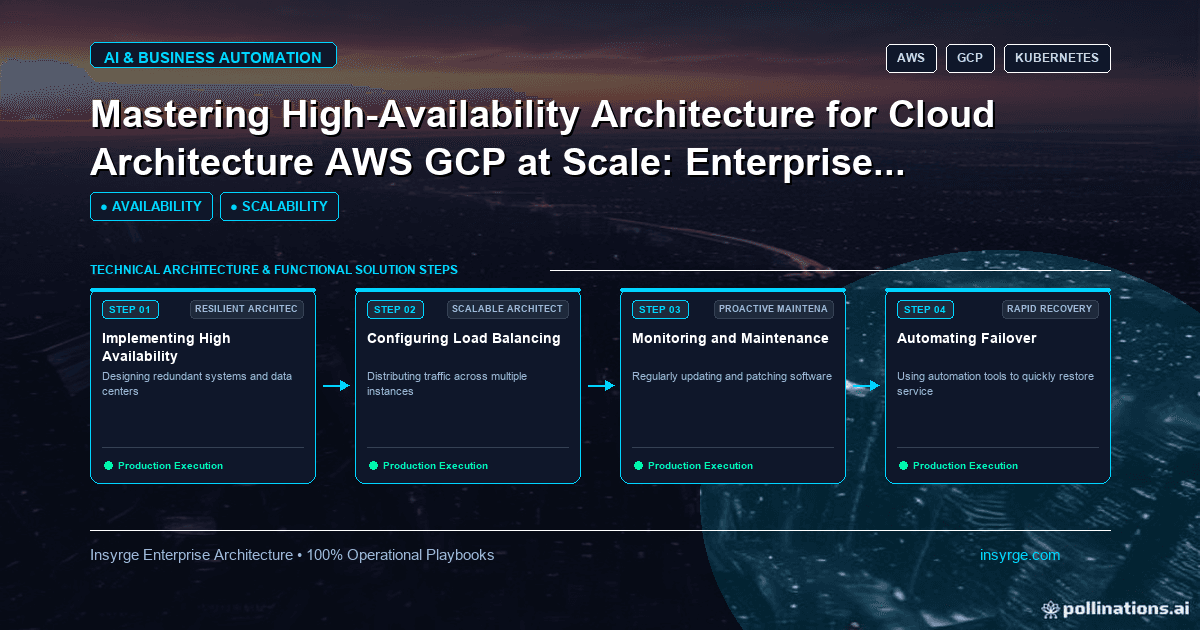
Adopt infrastructure as code step by step: describe resources in files, review plans before applying, store state safely and stop manual console edits.
In many businesses, cloud infrastructure is built by clicking through a provider's web console. It is quick at first, but over time nobody remembers exactly how a server, network or database was configured, test and production drift apart and rebuilding an environment after a mistake becomes guesswork. Infrastructure as code solves this by describing infrastructure in text files that can be stored in version control, reviewed like application code and applied by tools in a repeatable way. Changes become visible, environments become consistent and recovery becomes faster. This guide explains how infrastructure as code works, how to adopt it step by step and the practices that keep it safe.
 What infrastructure as code means
Infrastructure as code is the practice of defining servers, networks, databases, storage, permissions and other resources in configuration files rather than creating them by hand. HashiCorp describes Terraform, one widely used tool, as an infrastructure as code tool that lets you define both cloud and on-premises resources in human-readable configuration files that you can version, reuse and share (HashiCorp: What is Terraform?). Cloud providers also offer their own tools, and other open-source options exist.
The core benefits are:
- Repeatability: the same files create the same infrastructure each time
- Visibility: anyone can read how infrastructure is configured
- Review: changes go through the same review process as code
- History: version control shows who changed what and why
- Recovery: environments can be rebuilt from files after a failure
How the workflow usually works
Most infrastructure as code tools follow a similar pattern. Terraform's documentation describes it this way: you write configuration; in the plan step, Terraform creates an execution plan describing the infrastructure it will create, update or destroy based on existing infrastructure and your configuration; in the apply step, it carries out the proposed operations after approval. Terraform keeps track of real infrastructure in a state file, which acts as a source of truth for the environment.
The plan step is the safety net. Reviewing the plan before applying shows exactly what will change, including anything that will be deleted.
Worked example: a small configuration
The simplified, untested sketch below shows how a storage bucket with ownership tags might be described in Terraform's configuration language. The names are placeholders, and a real setup would also define provider settings, access controls and encryption.
# Simplified, untested sketch
resource "aws_s3_bucket" "reports" {
  bucket = "example-company-reports"

  tags = {
    Environment = "production"
    Owner       = "data-team"
    Application = "reporting"
  }
}
Even this small example shows the value: the bucket's name and ownership are recorded in a file anyone can read, review and reuse.
Start small
Adopting infrastructure as code does not require rewriting everything at once. A practical path:
- Choose a tool that fits your cloud provider and team skills
- Start with a new, low-risk environment or component
- Store files in version control from day one
- Add review of plans before applying changes
- Gradually bring existing resources under management
- Retire manual console changes for managed resources
Bring existing resources under management
Most teams already have infrastructure built by hand. Tools generally provide ways to import existing resources into their management, but importing needs care: the configuration must match what exists, or the next apply may try to change or replace resources. Import gradually, review plans closely and start with less critical resources.
Store state safely
Tools that track state need that state stored securely and reliably. Good practice includes:
- Storing state remotely rather than on one person's laptop
- Locking state so two people cannot apply changes at the same time
- Encrypting state, because it can contain sensitive values
- Restricting who can read and change it
- Backing it up
Losing or corrupting state can make managing infrastructure very difficult.
Keep secrets out of files
Never put passwords, API keys or private keys directly in configuration files committed to version control. Use a secrets manager and reference secrets from there, or pass them in securely at apply time. Review files for accidental secrets before merging.
Review every change
Treat infrastructure changes like code changes:
- Make changes on a branch
- Generate a plan and attach it to the review
- Have a colleague review both the code and the plan
- Apply only after approval, ideally through an automated pipeline
Pay special attention to plans that destroy or replace resources, especially databases and storage.
Structure files for reuse
As configurations grow, organise them into reusable modules for common patterns, such as a standard web application environment or a database with backups. Separate environments, such as development, staging and production, so a change to one does not accidentally affect another. Keep naming and tagging consistent across modules.
Stop console drift
Infrastructure as code only works if people stop changing managed resources by hand. Manual changes create drift: the files no longer match reality, and the next apply may undo the manual fix or fail. Restrict console permissions for managed resources, and run regular checks that compare real infrastructure with the configuration.
Test infrastructure changes
Infrastructure code deserves testing too. Run formatting and validation checks on every change, and use policy checks to flag risky settings, such as public storage or missing encryption, before they reach production. Try significant changes in a non-production environment first, then compare the result with what you expected. For shared modules, keep a small example environment that is built and destroyed regularly to confirm the module still works.
Automate with pipelines
Running plans and applies through an automated pipeline makes the process consistent. A typical pipeline runs formatting and validation checks, generates a plan for review, waits for approval and then applies. Pipelines also keep a record of every change applied, which helps with audits and troubleshooting.
Connect to deployments
Infrastructure as code works well alongside automated application deployments. Our guide to Kubernetes zero downtime deployment covers how application releases fit with infrastructure managed this way.
Use it to support migrations
When moving systems to the cloud, defining the landing environment as code makes it consistent and easy to recreate. Our guide to cloud migration strategy covers planning the move itself.
Train the team
Infrastructure as code changes how people work. Give team members time to learn the tool, agree conventions and pair on early changes. Document how to make a change, review a plan and recover from mistakes. Short internal guides, kept next to the code, help new team members follow the same process from their first change onwards.
Frequently Asked Questions
What is infrastructure as code?
It is the practice of defining cloud and on-premises resources in configuration files that can be version-controlled, reviewed and applied repeatably by tools.
Why review a plan before applying changes?
The plan shows exactly what will be created, updated or destroyed, so reviewers can catch unintended changes before they happen.
How should infrastructure state be stored?
Remotely, with locking, encryption, restricted access and backups, because state can contain sensitive values and is needed to manage resources.
Can existing infrastructure be managed as code?
Yes. Most tools can import existing resources, but configuration must match reality, so import gradually and review plans carefully.
Make cloud changes reviewable and repeatable
We help teams adopt infrastructure as code, from first modules to pipelines and state management. See our custom app development services, or talk to us about infrastructure as code.
About the Author
Manav Sharma is the founder of Insyrge and a CRM solutions architect. He works across Zoho, Salesforce, HubSpot, Odoo and more, designing the CRM setups, integrations and automations that keep sales and operations teams working from the same data.
Need Help Implementing This in Your Business?
Our certified Zoho consultants and automation experts can help you design and deploy custom workflows tailored to your operations.
Book Free Consultation