


Graceful Degradation for Web Apps That Stay Up
How to classify dependencies, choose fallbacks, and use timeouts, careful retries and circuit breakers so outages stay small.
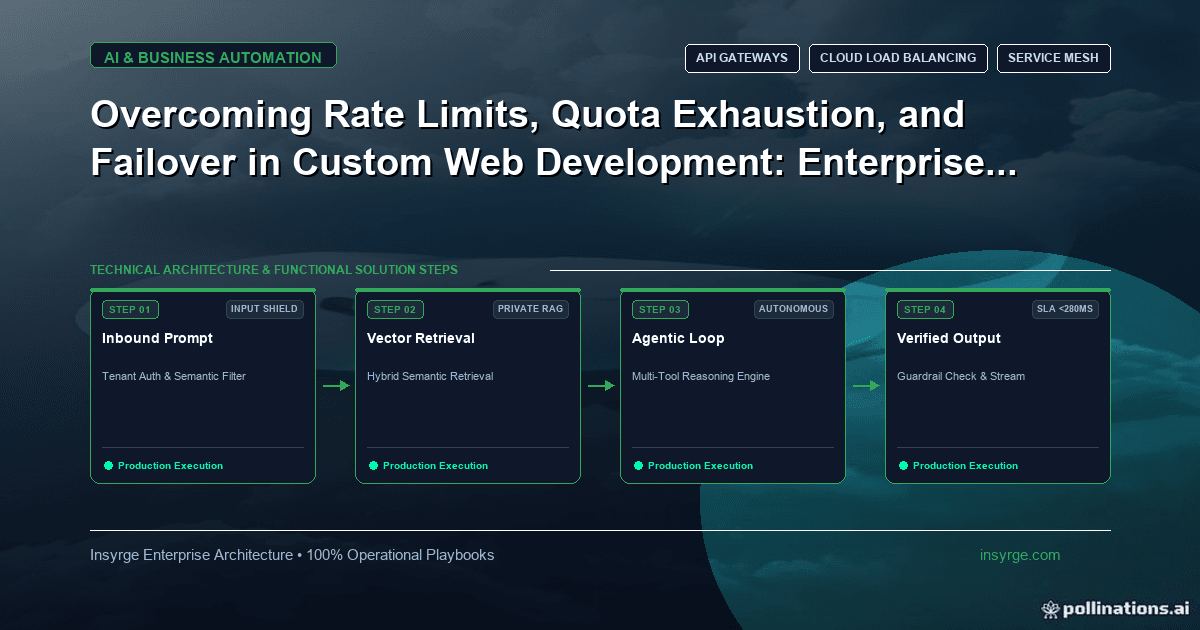
Design graceful degradation into web apps: classify dependencies, plan fallbacks, set timeouts, retry carefully and use circuit breakers to fail fast.
Modern web applications lean on other services for almost everything: payments, search, maps, email, CRM lookups, recommendation engines, AI features. Each dependency is a way for your site to fail that you do not control. When a third-party API slows down or hits its rate limit, a poorly designed page waits, times out and shows an error, even though most of what the user wanted had nothing to do with that service. Graceful degradation is designing each feature so that when a dependency fails, the application keeps working with reduced functionality instead of breaking. This guide explains how to classify dependencies, choose fallback behaviour, apply timeouts, retries and circuit breakers, and test that the fallbacks actually work.
 What graceful degradation means for web applications
The idea is simple: core tasks should survive the failure of non-core parts. A product page whose recommendation service is down should still show the product and let the customer buy it. A checkout whose address lookup is unavailable should let the customer type their address. A dashboard whose analytics widget cannot load should still show everything else.
This requires decisions made in advance, feature by feature. Fallback behaviour that is invented during an outage is usually an error page.
Classify every dependency
List the external services and internal components each important page or task relies on, and classify each one:
- Critical: the task cannot be completed without it, such as the payment provider at the final step of checkout
- Important: the task is noticeably worse without it but still possible, such as address autocomplete
- Optional: nice to have, such as recommendations, reviews or a chat widget
Be strict. Teams often label everything critical, which means nothing degrades gracefully. Even for critical dependencies, there is usually a better failure than an unhandled error, such as saving the order and asking the customer to retry payment.
Choose a fallback for each dependency
For every important or optional dependency, decide what happens when it is unavailable:
- Hide the feature: leave out recommendations or reviews without leaving a broken space
- Show cached data: display the last known value, with its age where it matters
- Use a simpler alternative: manual entry instead of autocomplete, a contact form instead of live chat
- Defer the work: accept the request and complete it later, such as queueing a CRM update or a confirmation email
- Explain clearly: when a feature truly cannot work, say so plainly and offer a next step
Deferring work through a queue is especially useful for writes to other systems. Our guide to webhook queues explains the pattern for processing events reliably in the background.
Set timeouts on every call
The most damaging failures are slow ones. A dependency that fails instantly is easy to handle; one that hangs for thirty seconds ties up server resources and leaves users staring at a spinner. Every outbound call should have a timeout chosen for its role: short for optional features on a page, longer for background work. When the timeout is reached, the fallback runs.
Load optional client-side features after the main content, so a slow third-party script cannot hold up the page.
Retry carefully
Some failures are temporary, and a retry succeeds. Retries help when they are limited, spaced out with increasing delays and only used for operations that are safe to repeat. They hurt when every request retries immediately and several times, multiplying load on a service that is already struggling. If a service responds with status 429 Too Many Requests, MDN notes that it may include a Retry-After header saying how long to wait; respect it.
For user-facing requests, one quick retry at most is usually enough. Longer retry sequences belong in background jobs.
Stop calling a service that is down
When a dependency is clearly failing, continuing to call it wastes time on every request. The circuit breaker pattern, described by Martin Fowler in his article on circuit breakers, wraps calls in an object that monitors failures. Once failures reach a threshold, the breaker trips and further calls return an error immediately without calling the service, and the fallback runs straight away. After a pause, the breaker lets a trial call through to check whether the service has recovered.
Circuit breakers turn a slow, cascading failure into a fast, contained one. They also make outages visible: a tripped breaker is a clear signal for monitoring.
Worked example: degradation plan for an ecommerce product page
The table below shows a hypothetical plan for a product page and checkout. Dependencies and timeouts are illustrative.
DependencyClassificationTimeout approachFallbackProduct catalogue databaseCriticalShort, with one retryServe cached product page; show error only if no cacheStock level serviceImportantShortShow last known stock with "check at checkout" noteRecommendations APIOptionalVery short; circuit breakerHide the sectionReviews serviceOptionalVery short; circuit breakerHide reviews, keep average rating from cacheAddress autocompleteImportantShortManual address fieldsPayment providerCriticalProvider's recommended timeoutSave order as pending; ask customer to retry paymentCRM update after orderOptional for the customerBackground job with retriesQueue and retry; alert after repeated failures
With this plan, an outage of the recommendations or reviews service is invisible to most customers, and even a payment problem does not lose the order.
Test your fallbacks
Fallbacks that are never exercised tend not to work. Test them deliberately:
- In staging, block each dependency in turn and walk through key tasks
- Simulate slow responses, not just errors, to check timeouts
- Confirm the page layout still looks intentional when features are hidden
- Check that monitoring shows when fallbacks are active
Our guide to client portal performance covers monitoring uptime and speed, which should include alerts when degraded modes are in use.
Common mistakes with degradation
- Treating every dependency as critical
- No timeouts, or the same long timeout everywhere
- Immediate, repeated retries that overload a failing service
- Fallbacks that leave blank spaces or broken layouts
- Writing to other systems synchronously during page requests
- Never testing what happens when a service is down
Frequently Asked Questions
What is graceful degradation?
It is designing an application so that when a dependency fails or slows down, the core tasks keep working with reduced functionality rather than failing completely.
What is a circuit breaker?
A pattern that monitors calls to a service and, after a threshold of failures, stops calling it for a period and returns an error immediately so fallbacks can run quickly.
Should failed API calls be retried?
Sometimes. Retry temporary failures a limited number of times with increasing delays, only for operations safe to repeat, and respect any Retry-After header.
How do you test graceful degradation?
Block or slow down each dependency in a test environment and walk through key tasks, checking that fallbacks work and that monitoring shows them.
Keep your application working when others fail
We design web applications with timeouts, fallbacks and circuit breakers so outages stay small. See our custom app development services, or talk to us about your application.
About the Author
Manav Sharma is the founder of Insyrge and a CRM solutions architect. He works across Zoho, Salesforce, HubSpot, Odoo and more, designing the CRM setups, integrations and automations that keep sales and operations teams working from the same data.
Need Help Implementing This in Your Business?
Our certified Zoho consultants and automation experts can help you design and deploy custom workflows tailored to your operations.
Book Free Consultation